Smart Garment & Footwear Software for Modern Retail Stores
Simplify your garment or footwear business with powerful GST billing, barcode POS, size and color inventory, purchase management, account management and stock control in one easy-to-use retail software.
- Inventory & Account Management
- Multiple GST Rate Management
- Size & Color Attribute Management
- Barcode Printing & Billing
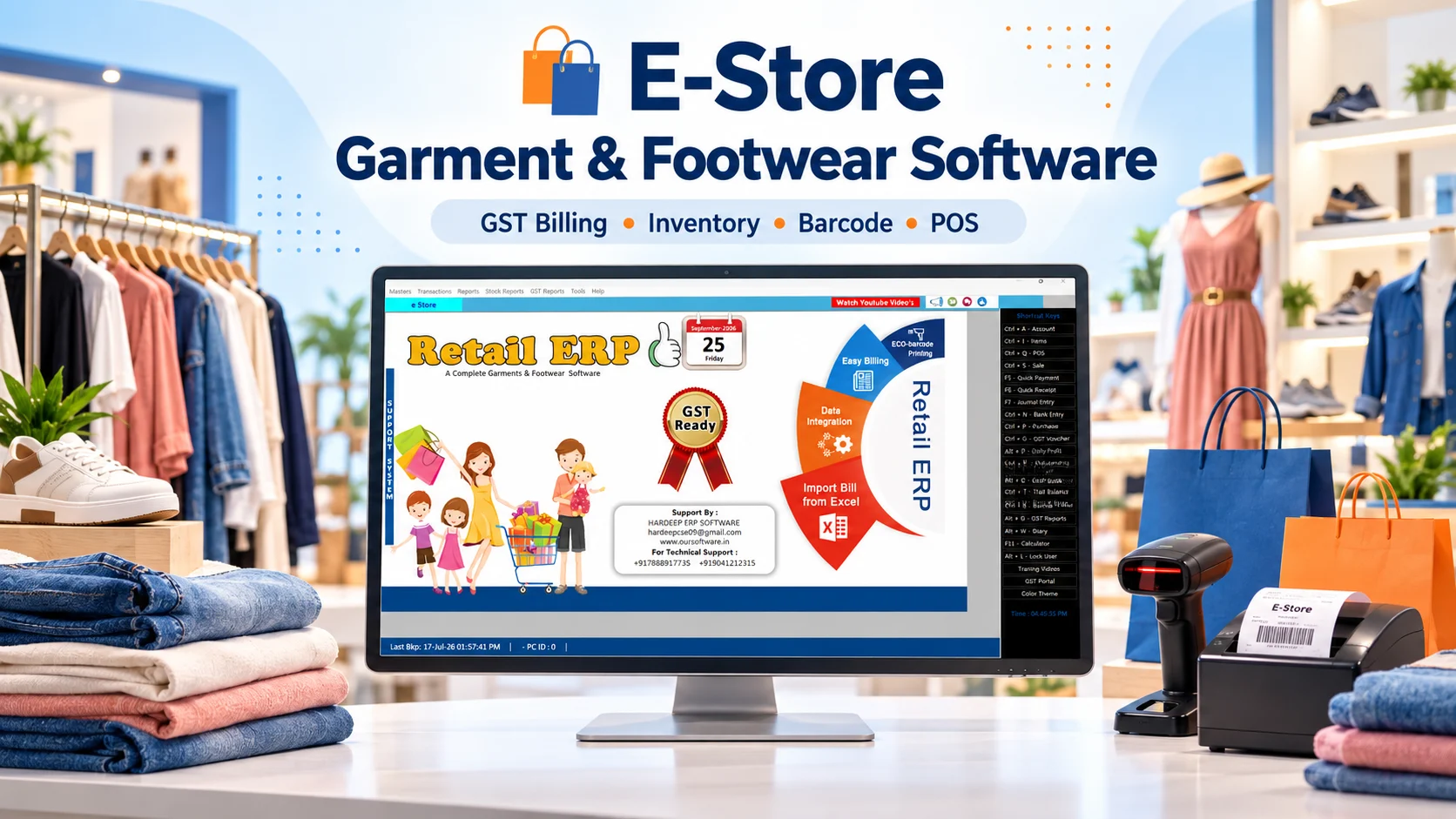
- Fast POS Billing Solution
- Excel Purchase Bill Import
- Automatic Data Backup
- SMS Template Management
Ready to Manage Your Garment or Footwear Business Smarter?
Experience faster billing, organized stock management and easier day-to-day retail operations with E-Store Garment & Footwear Management Software.
E-Store Garment & Footwear Management Software
Running a garment or footwear store requires much more than generating customer bills. Retailers manage hundreds or thousands of products across sizes, colors, designs, brands, categories, prices and GST rates.
E-Store Garment & Footwear Software brings purchase entry, inventory, barcode generation, fast POS billing, GST handling and account management into one organized system.
Suitable for garment shops, clothing stores, fashion boutiques, shoe stores, apparel retailers, kids wear, uniform shops and multi-brand showrooms.
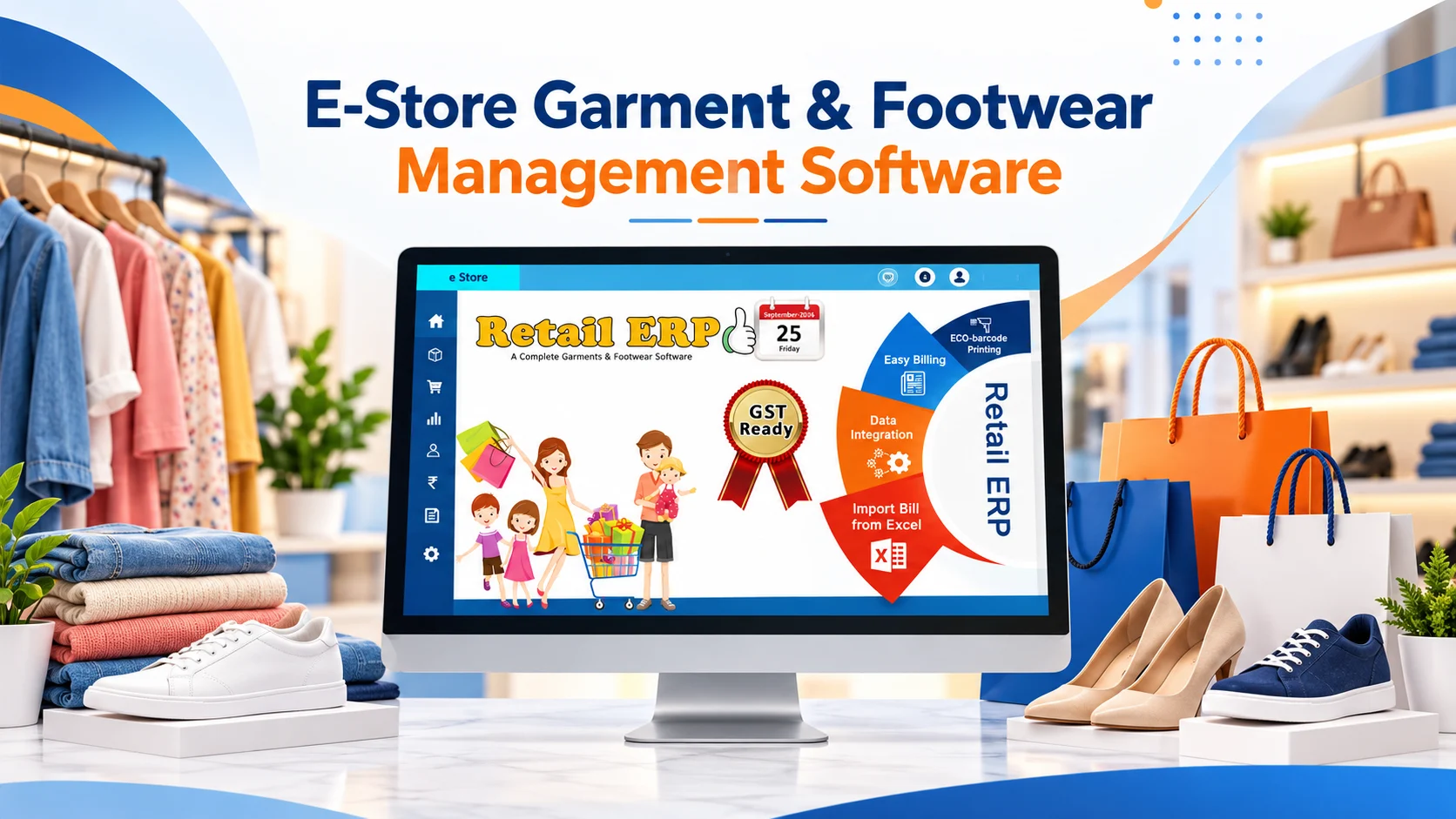
Complete Garment & Footwear Software Features
Core tools for billing, stock, accounts and customer service.
Inventory Management
Keep purchases, sales and stock movement organized for garments and footwear.
Account Management
Manage retail transaction and account records alongside billing.
Multiple GST Rates
Apply configured tax rates for different products and categories.
Size & Color Variants
Track sizes, colors, articles, designs, categories and brands.
Barcode Printing
Generate barcode labels and identify products quickly at checkout.
Fast POS Billing
Create customer bills efficiently at busy retail counters.
Excel Bill Import
Import supported purchase or bill formats to reduce repetitive entry.
Automatic Backup
Maintain copies of important business data with configured backup.
SMS Templates
Reuse prepared customer messages where SMS workflows are supported.
Control Your Business from One Dashboard
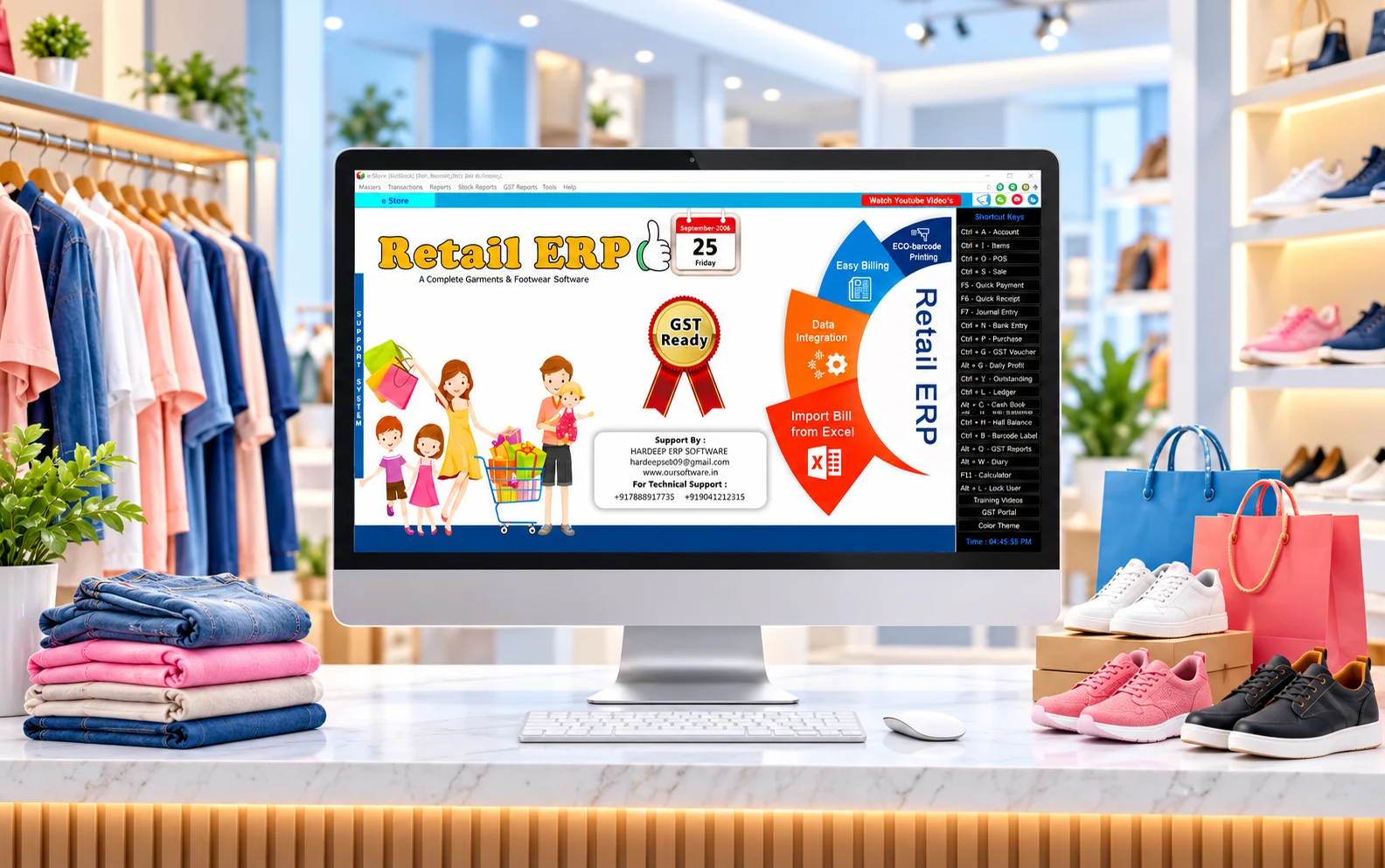
The E-Store dashboard gives your team a clear starting point for everyday garment and footwear operations. Open the areas for products, sales, purchases, inventory, accounts and reports from one software workspace. Staff can move between common tasks without looking through separate applications or keeping disconnected records.
For a busy shop, that organized view makes it easier to see where to enter new stock, create bills and review business information. New users can learn the main workflow step by step, while experienced staff can reach frequently used functions quickly.
- Find billing, stock and purchase tasks in one place.
- Access account and report sections from the same interface.
- Keep the daily retail workflow simpler for counter staff.
Organize Every Garment and Footwear Product
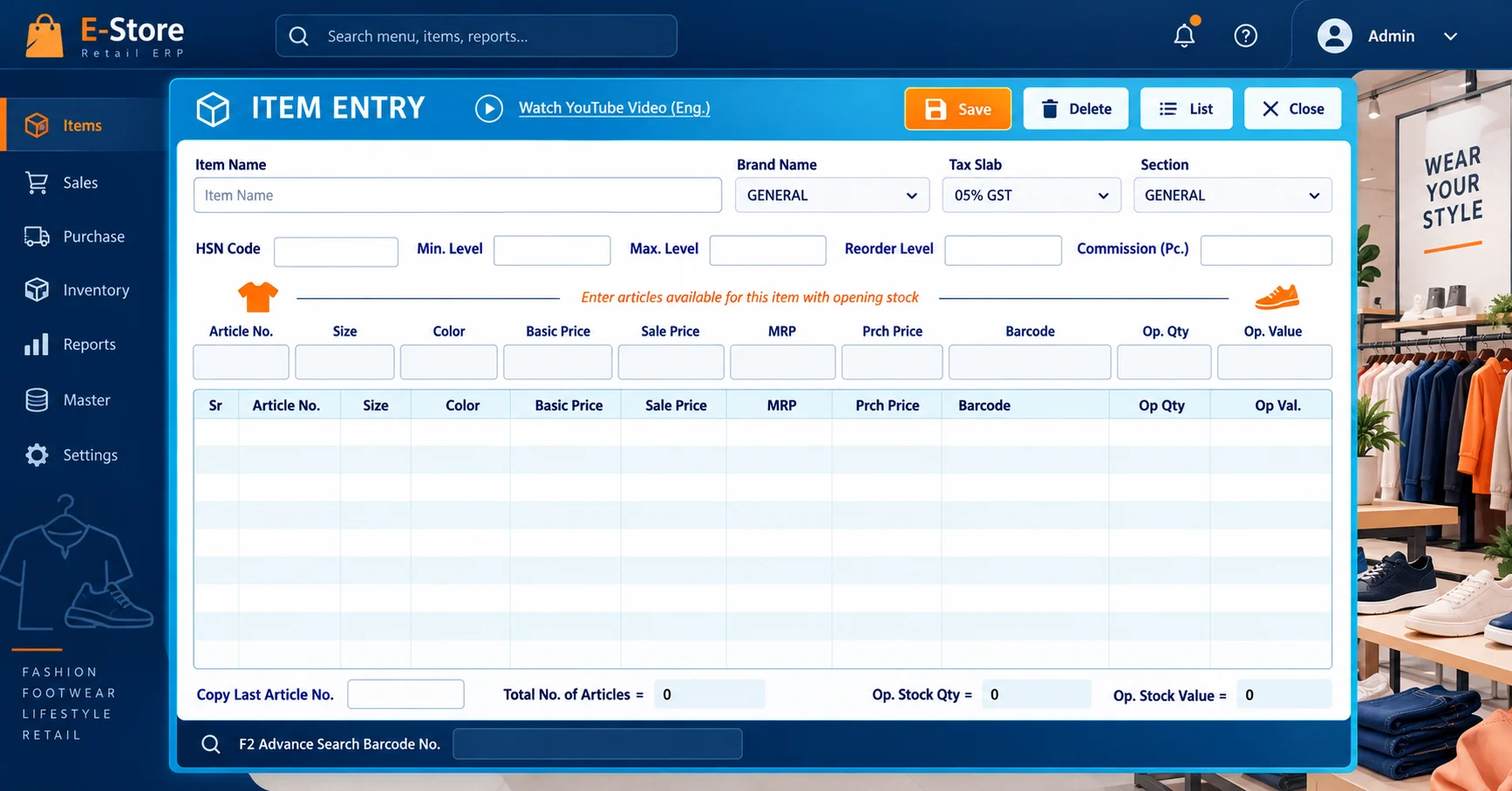
A well-maintained item master is the foundation of accurate retail billing. In E-Store, you can organize garments and footwear by product name, category, available size and color, selling price and other fields supported by your setup. Consistent records help staff find the correct item when the store has many similar articles.
For example, a showroom can keep shirts, shoes and accessories in appropriate categories and use their product details during purchase and sale entry. This reduces confusion between closely related designs and supports clearer inventory records as the collection grows.
- Structure items by category, brand or article details where available.
- Keep variant information connected with the correct product.
- Make product searching and counter billing more practical.
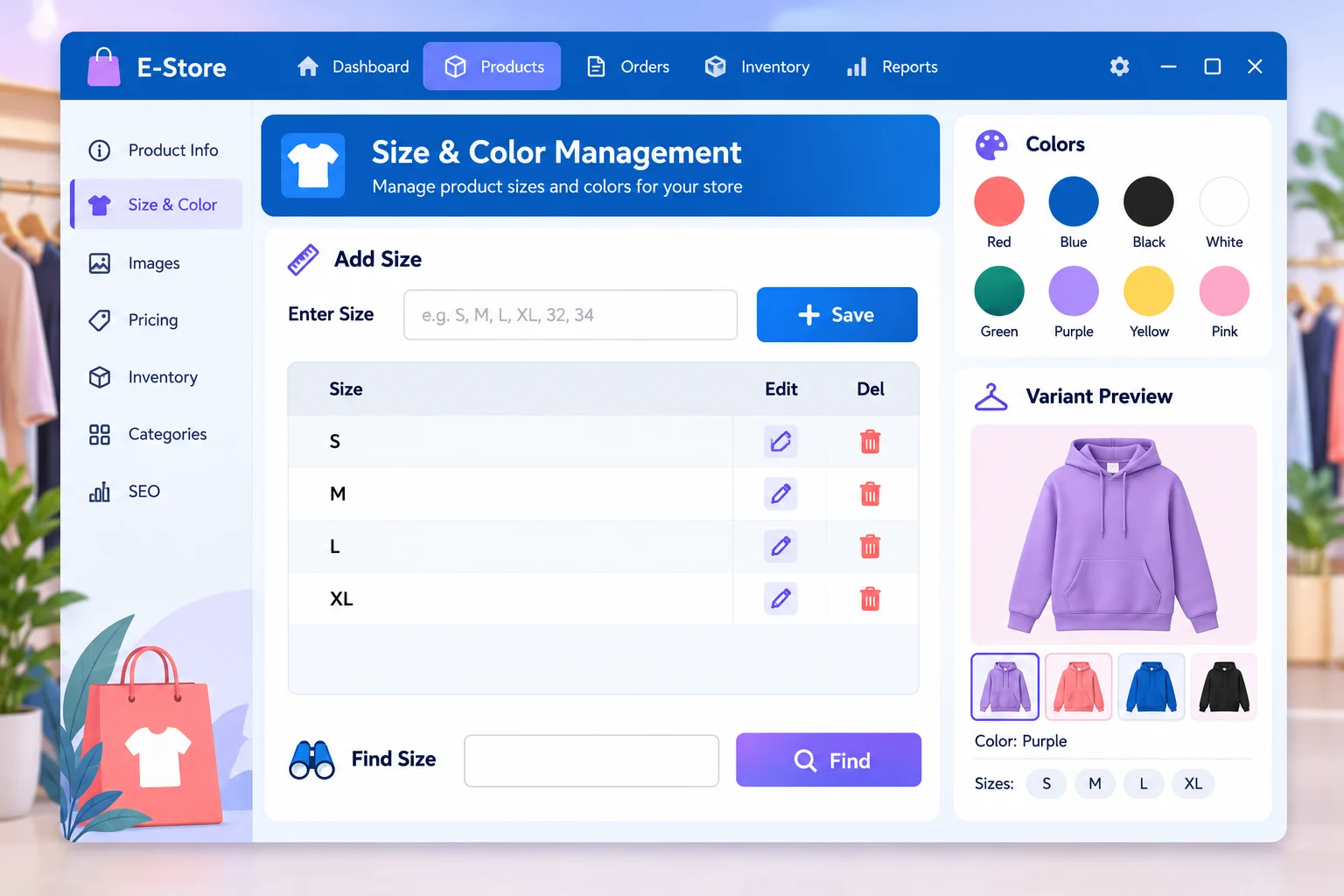
Manage Multiple Sizes and Colors Efficiently
Fashion and footwear stores often stock one design in several sizes and colors. E-Store helps organize these combinations so staff can identify the version a customer wants and maintain more useful stock records. A shirt may come in Small, Medium, Large and XL in multiple colors; a shoe design may be sold across several footwear sizes.
Keeping those variants organized is especially valuable when a popular design sells unevenly. Your team can check the relevant size and color before selecting an item for billing or planning a replenishment. The exact fields and workflow can be configured around the products your business sells.
- Maintain size and color choices against product records.
- Distinguish similar articles at purchase and billing time.
- Improve visibility of the variants customers request.
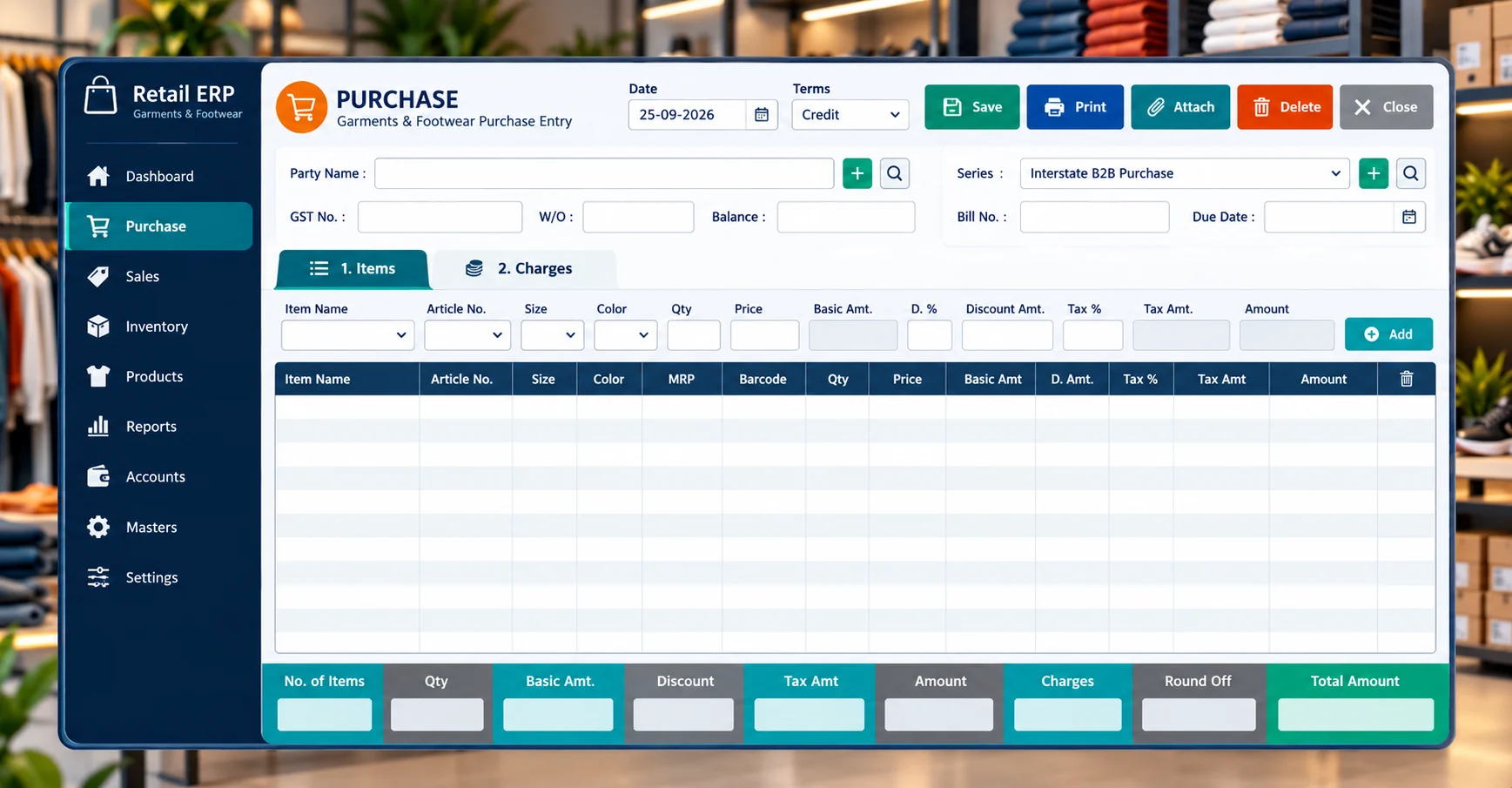
Simple Purchase Management
When new garments or footwear arrive from suppliers, purchase entry gives your team a structured way to record those goods. Entering purchase information in the software helps keep a useful history of incoming stock rather than relying on scattered notes or manual lists.
For retailers with many designs and seasonal collections, an organized purchase workflow makes it easier to connect stock receipts with everyday inventory management. Your staff can use the same business system for purchase records and the sales that follow, with the details available for later review.
- Record stock received from suppliers.
- Keep incoming product information organized.
- Use purchase history to support stock planning.
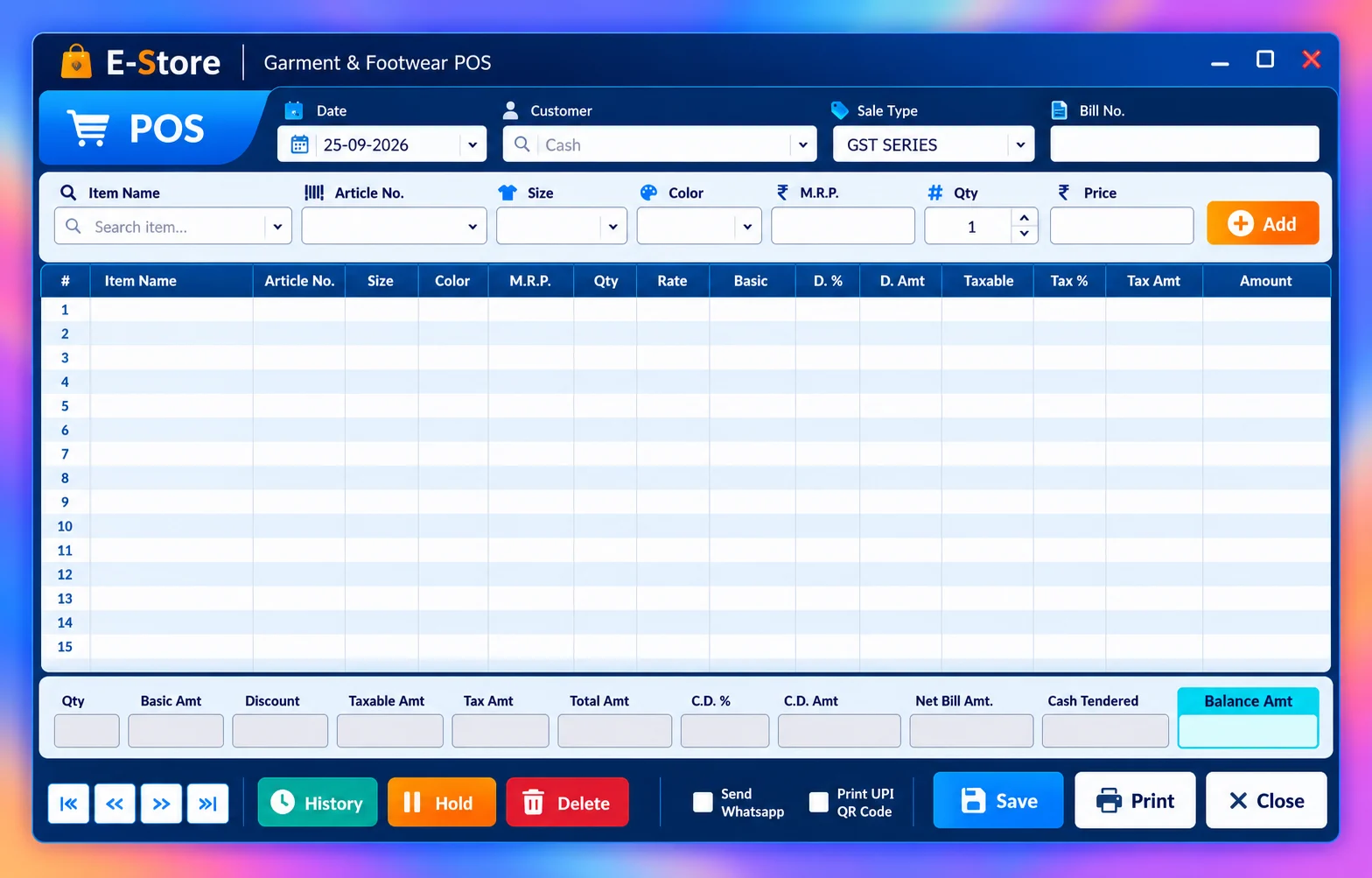
Fast Garment & Footwear POS Billing
E-Store’s point of sale workflow is designed for the pace of a retail counter. Staff can search or select the required products, prepare a customer bill and record the transaction without moving to a separate application. A clear billing screen is useful when several customers need service in a short period.
Garment showrooms, boutiques and shoe shops can use this workflow alongside their product, variant and stock records. The result is a more connected way to handle sales and keep business information organized after checkout. Ask our team to demonstrate the billing steps with products relevant to your store.
- Choose products for quick customer billing.
- Use the same system for sale and inventory records.
- Support a smoother checkout during busy store hours.
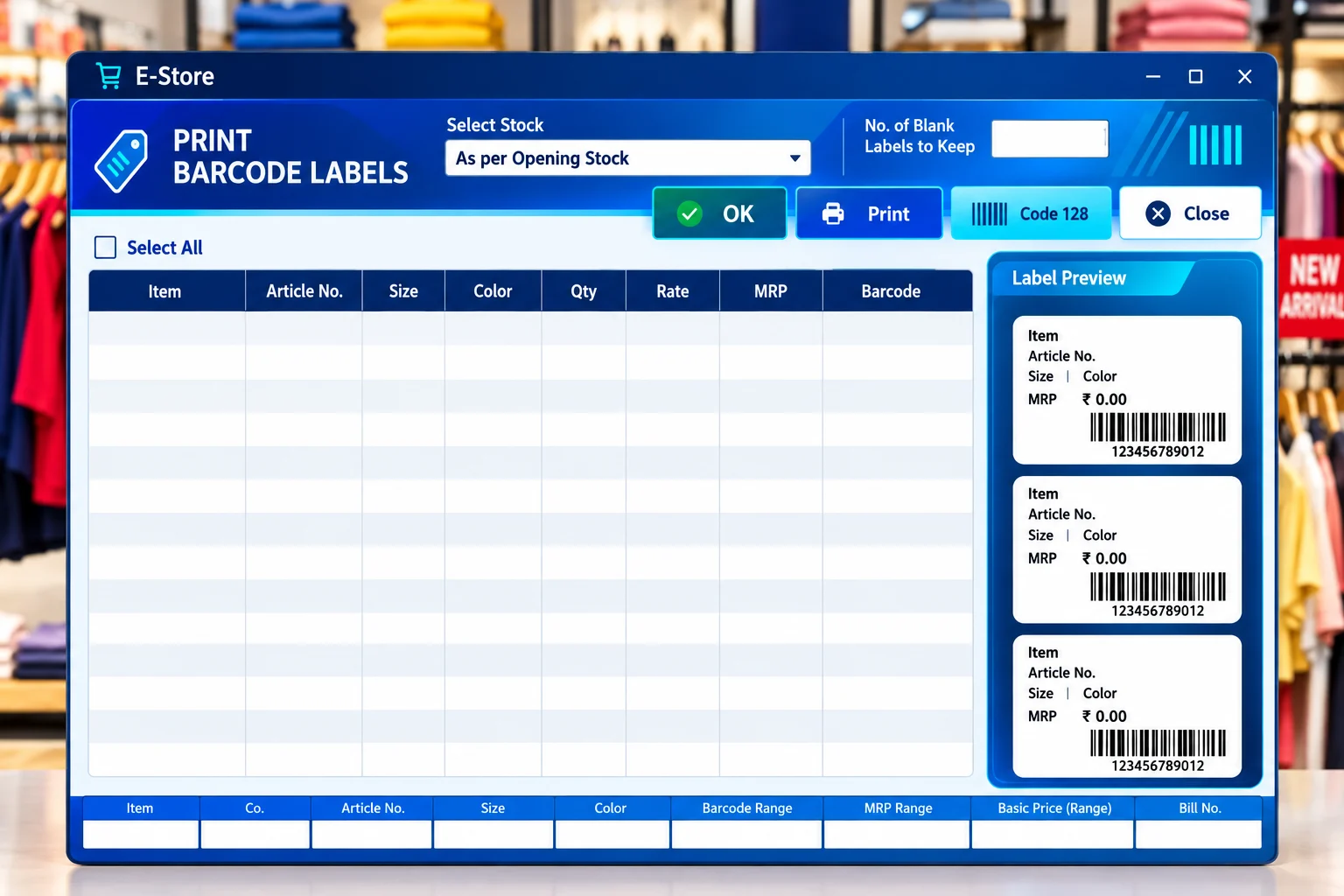
Print Product Barcodes Easily
Barcode labels help identify products at a busy checkout counter. E-Store includes barcode printing for supported garment and footwear workflows, so items can be labelled and recognized more consistently during daily store operations.
For a retailer managing similar-looking products across sizes, colors or designs, a barcode workflow can reduce repetitive manual searching. Print labels according to your available setup, then use supported barcode billing at the counter for faster product selection. The team can help confirm the compatible label and printer configuration for your business.
- Create labels for garment and footwear products.
- Identify stock more conveniently at the billing counter.
- Ask about supported barcode printers and label formats.
Keep Your Retail Stock Organized
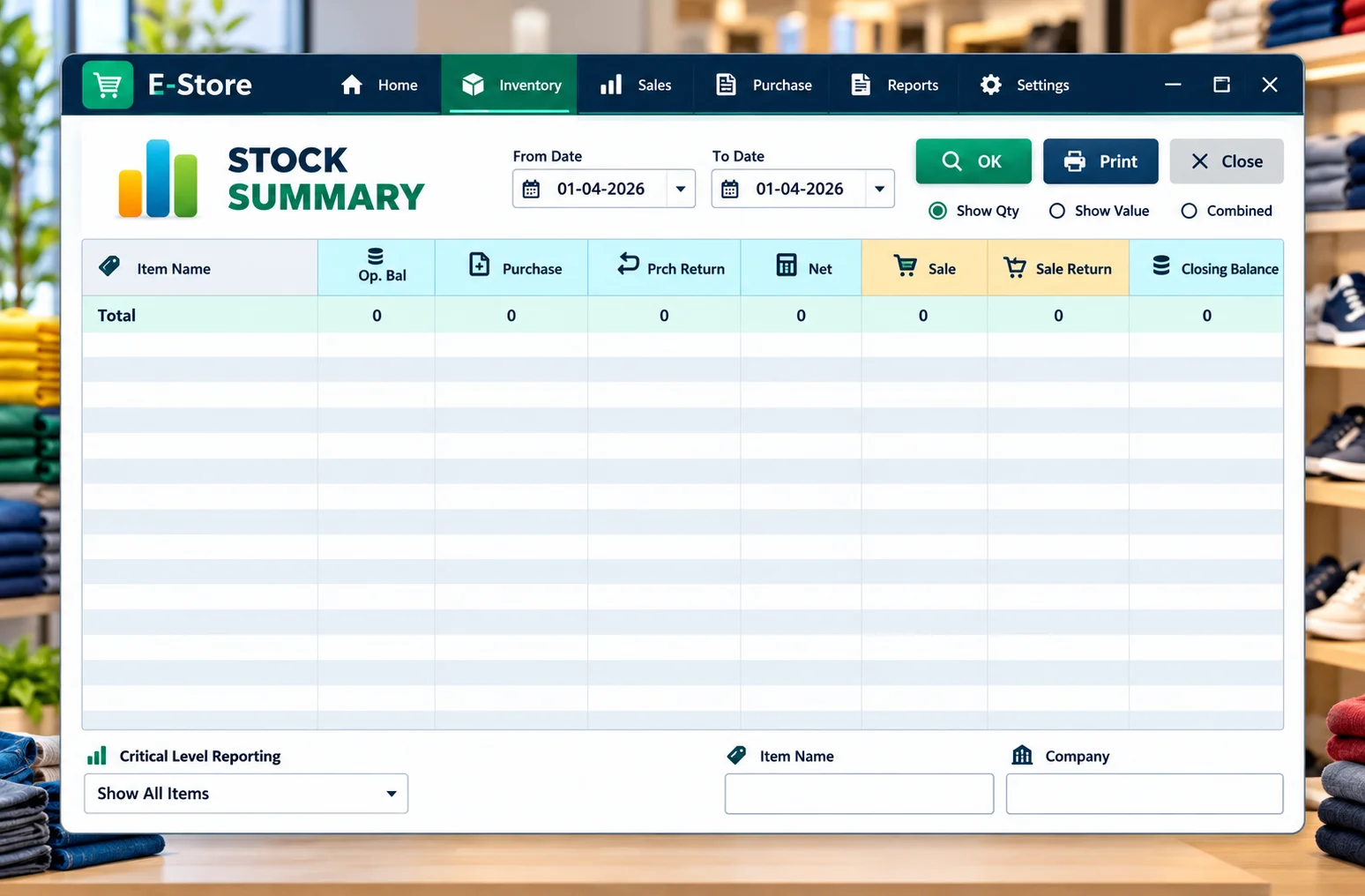
Inventory control is more useful when the products in your system reflect what the store actually carries. E-Store helps retailers maintain records of goods received, products sold and the stock that remains, so daily decisions are based on a clearer view of the business.
Garment and footwear shops can organize inventory by relevant product, category, size and color details where their software setup supports those fields. This is helpful when a showroom carries many variations and needs to plan the next purchase without guessing which articles are still available.
- Review stock in relation to purchases and sales.
- Keep product and variant records organized.
- Use stock information to guide replenishment decisions.
GST Ready Billing for Retail Stores
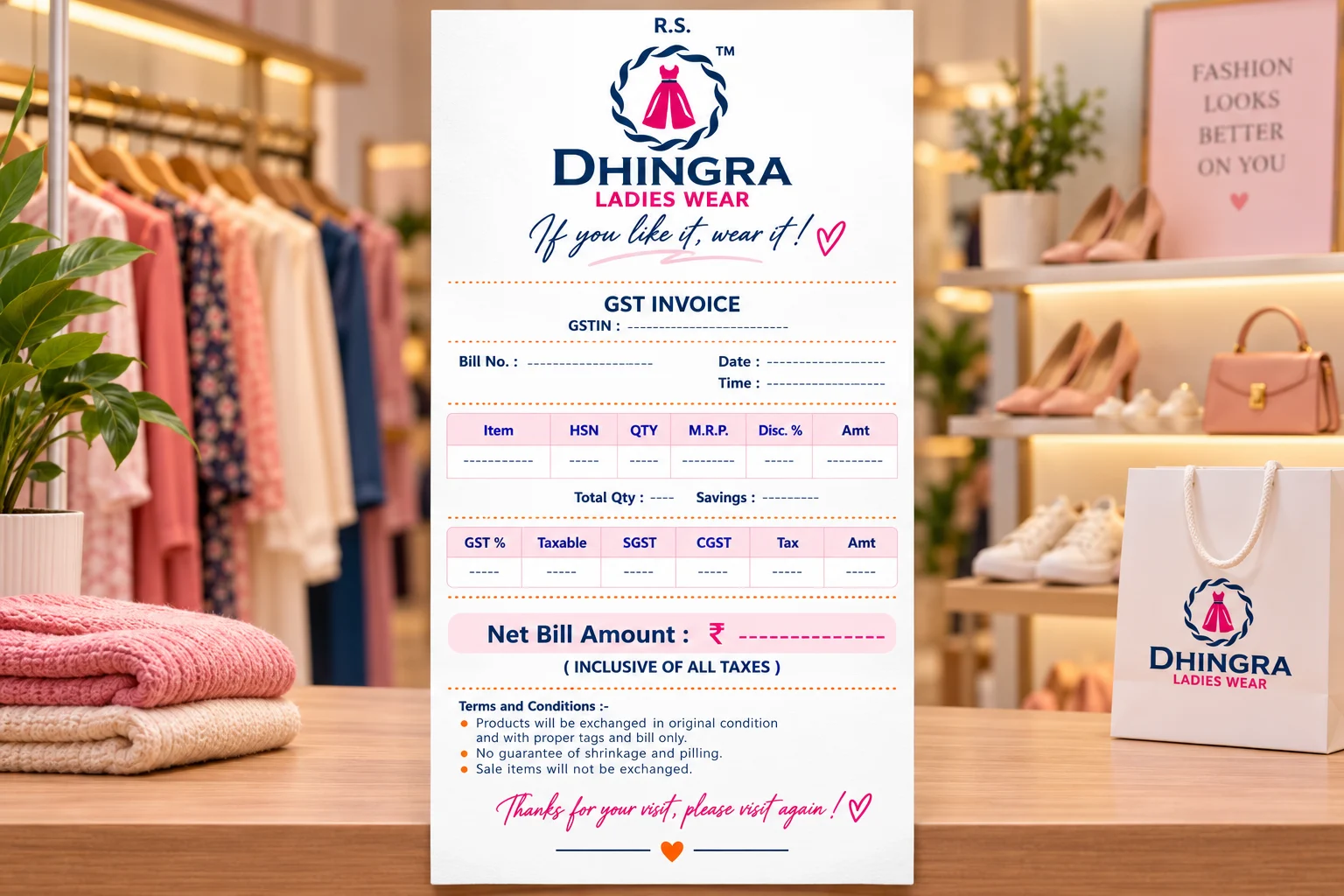
Garment and footwear retailers may sell products with different tax configurations. E-Store brings configured GST rates into the billing workflow so the appropriate item information can be used when preparing retail invoices.
Keeping product details, sales and GST-related billing in one system helps staff work more consistently than using disconnected spreadsheets for each task. The tax settings must match your own products and applicable rules; our team can show how the software’s GST configuration and bill format work during a demo.
- Maintain supported GST rates against relevant items.
- Prepare invoices through the regular POS workflow.
- Keep tax-related billing records more organized.
Manage Business Accounts Alongside Billing
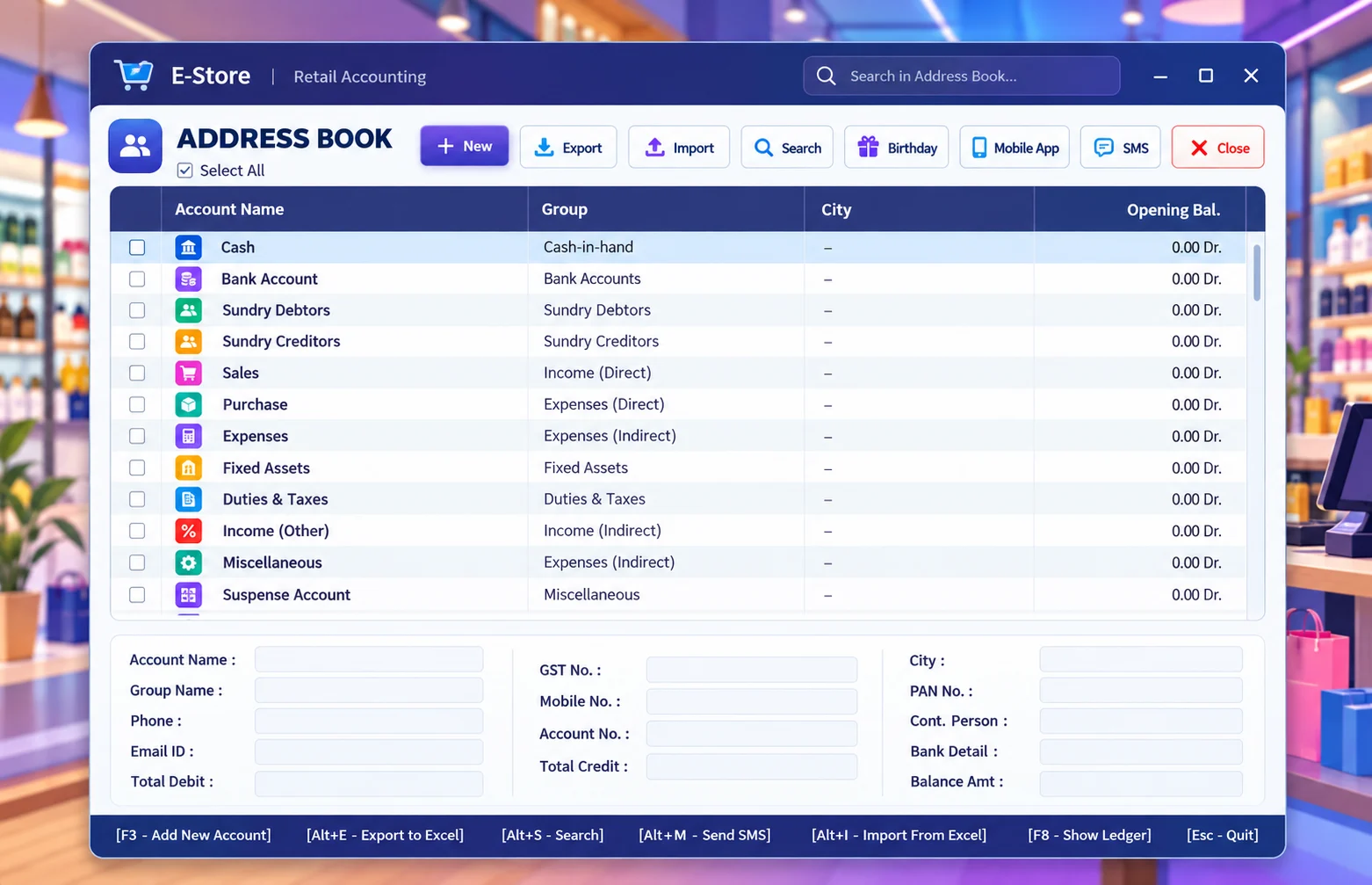
Retail operations involve more than selling products. A shop also needs organized records of transactions and account-related activity. E-Store brings account management together with billing and inventory tools so key business information can be handled in a connected software environment.
That connected approach helps owners and staff review day-to-day records without maintaining a separate manual trail for each part of the business. The available screens and reports depend on the configured software setup, so a product demo is the best way to see the account workflow for your store.
- Keep important transaction information organized.
- Work alongside billing and stock records.
- Review business information from the software interface.
Import Supported Data from Excel
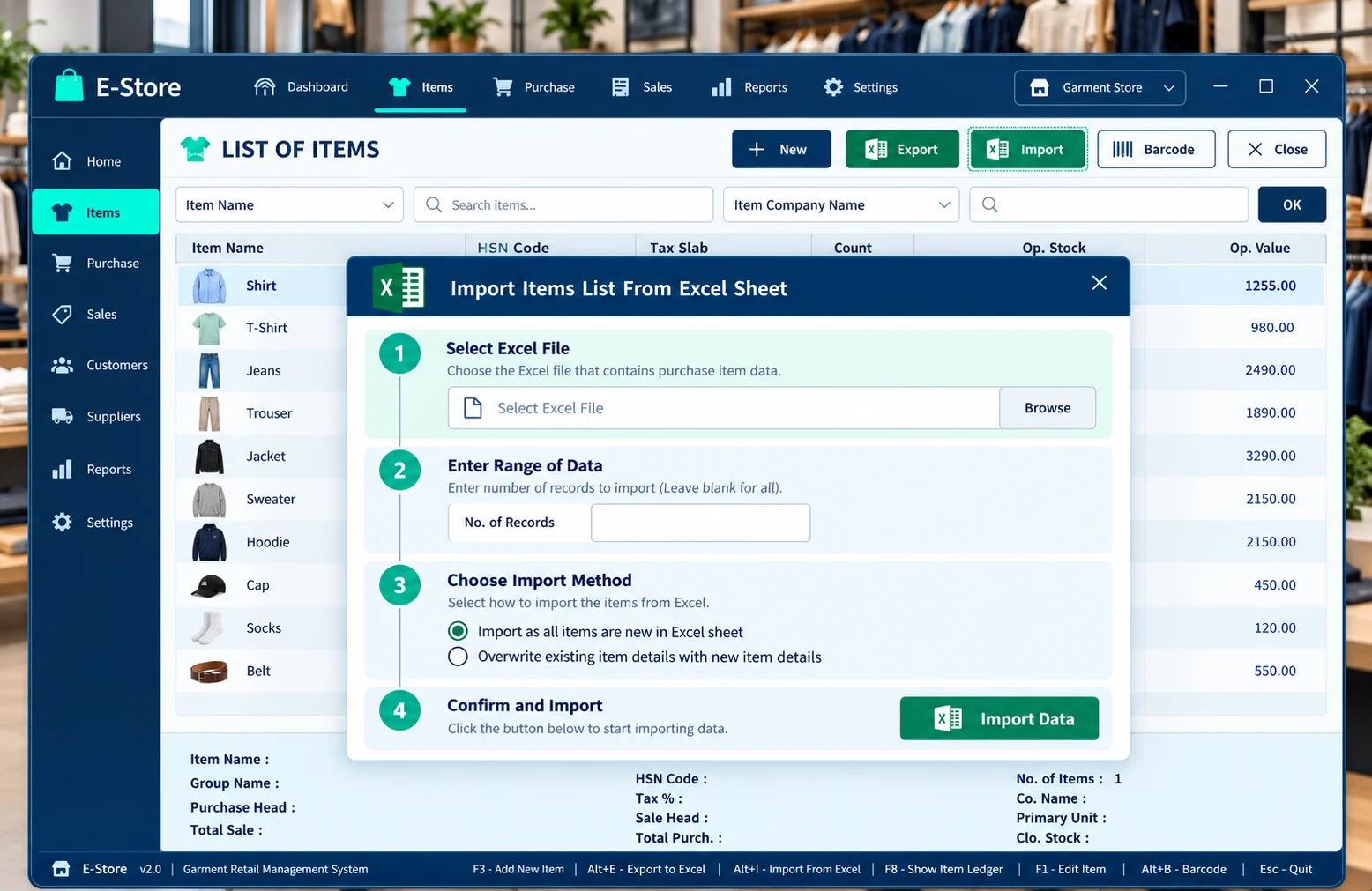
Entering a long list of purchase or bill details manually can take time. E-Store includes an Excel import facility for supported data formats, allowing suitable records to be brought into the software more efficiently.
Before importing, the file should be checked against the fields and format expected by your installation. This is especially relevant when a retailer receives larger supplier lists or is preparing product records for a new store setup. Our support team can explain which types of data can be imported and how to prepare a compatible file.
- Reduce repeated manual entry for supported data.
- Prepare files in the required Excel format.
- Confirm import compatibility before using live records.
Automatic Backup for Important Data
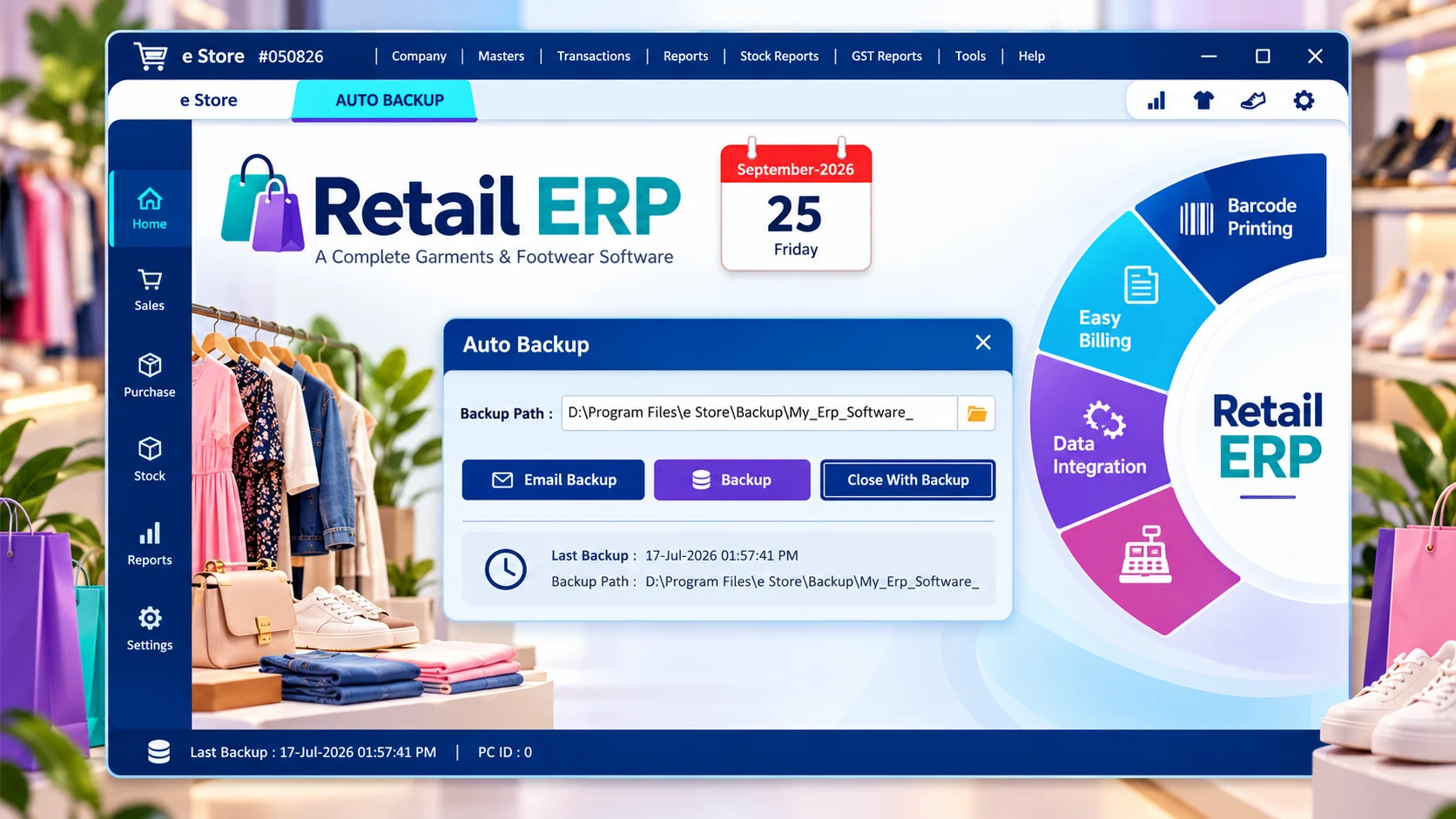
Business records are valuable, so a regular backup routine should be part of daily software use. E-Store includes automatic backup functionality according to its configured setup, helping maintain additional copies of important retail data.
Backup settings should be reviewed during installation, including where the copies are stored and how they can be restored when needed. A backup is most helpful when it is checked regularly and kept in a suitable location. Our setup team can explain the options available for your installation and the steps for maintaining a dependable routine.
- Use the backup option supported by your setup.
- Know where your backup copies are stored.
- Review the restore process with support.
Maintain Customer SMS Templates
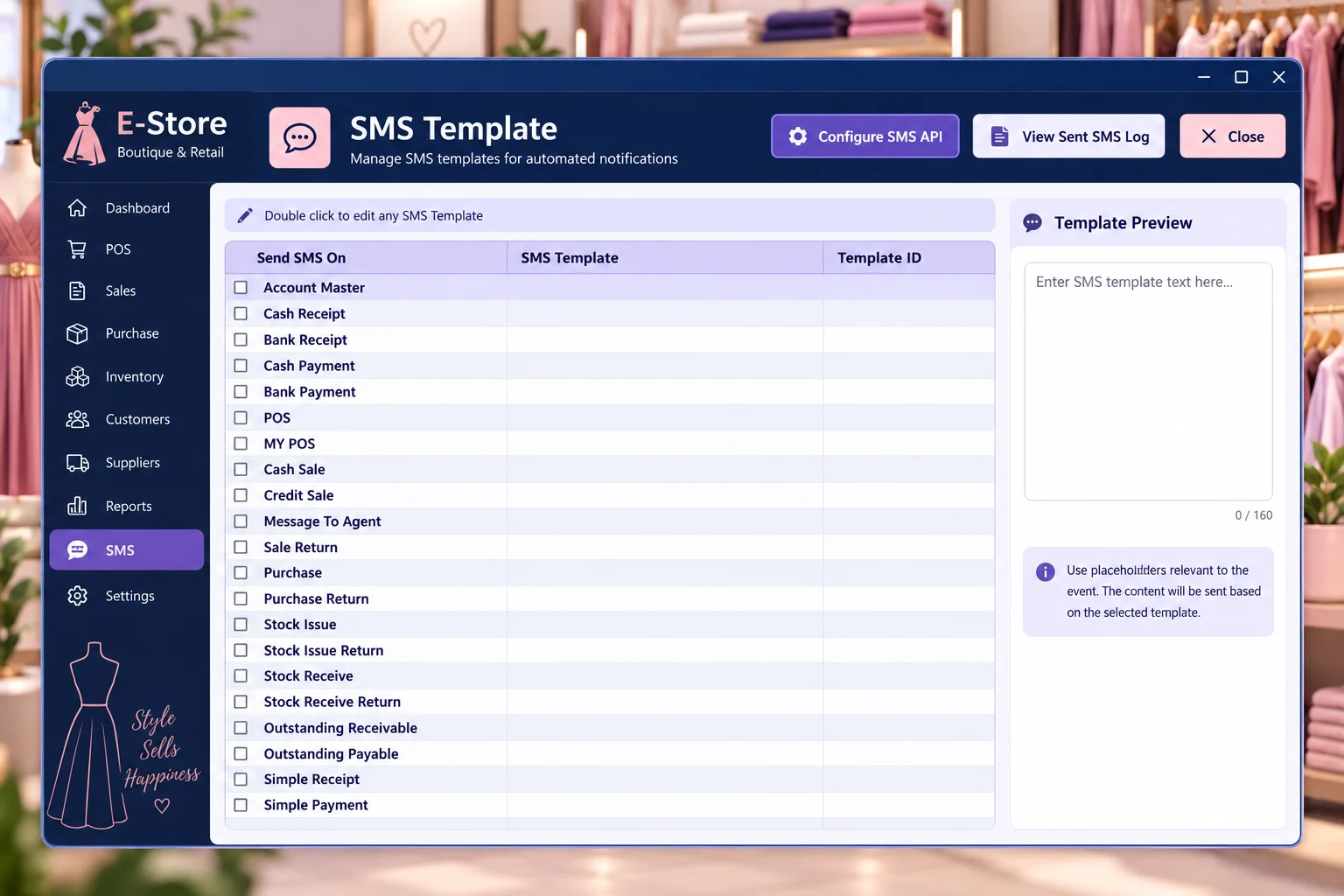
Stores often send similar messages to customers. E-Store provides SMS template management for supported communication workflows, letting your team prepare standard wording and reuse it when appropriate.
Using prepared templates can keep routine customer messages consistent and reduce the time spent rewriting the same information. The specific sending workflow and any external messaging requirements depend on your software configuration. Our team can show the available template screens and explain which communications can be supported in your installation.
- Prepare standard customer message wording.
- Reuse templates for supported SMS activities.
- Review the available integration during setup.
Why Choose E-Store Software?
Built for daily garment and footwear retail work, from the first product entry to the final sale.
Size & Color Inventory
Variants for fashion and footwear retail.
Barcode Workflow
Print and bill with supported barcode tools.
GST Billing
Manage configured tax rates during sales.
Fast POS
Serve customers quickly at the counter.
Inventory + Accounts
Keep key business records connected.
Excel Import
Save time on supported imports.
Auto Backup
Maintain configured backup copies.
Easy Product Records
Find products and variants more easily.
Perfect for Garment & Footwear Businesses
Garment Shops
Clothing sizes, colors, billing and stock.
Footwear Shops
Shoe styles, sizes, categories and billing.
Fashion Boutiques
Boutique products and customer sales.
Readymade Stores
Ready-to-wear variants and inventory.
Kids Wear Stores
Organized children’s apparel stock.
Uniform Shops
Articles and size-wise product control.
Multi-Brand Showrooms
Categories and brands in one workspace.
Apparel Retailers
Fast retail checkout and reporting.
Watch E-Store in Action
See garment billing, inventory, GST, barcodes and POS workflows in these software demonstration videos.
Garment Billing and Inventory Management
GST-ready garment and footwear management demonstration.
POS Barcode Billing for Garment Shops
Barcode checkout and footwear GST billing demonstration.
What Retail Businesses Say About E-Store
Feedback shared by E-Store customers across garment and footwear retail businesses.
Amit Sharma
Garment Store, Delhi
★★★★★
“Very easy to use and perfect for our garment store. Inventory and billing are now super smooth.”
Pooja Mehta
Fashion Boutique, Mumbai
★★★★★
“Excellent software for managing our clothing stock with size and color. Support team is very helpful.”
Rakesh Verma
Footwear Shop, Jaipur
★★★★★
“Barcode billing and stock management works perfectly for our footwear business. Highly recommended!”
Neha Gupta
Kids Wear Shop, Lucknow
★★★★★
“Simple and powerful software. GST billing and reports are very useful for our business.”
Suresh Patel
Apparel Store, Surat
★★★★★
“Best software for garment and apparel stores. Saves time and manages everything easily.”
Imran Khan
Footwear Retail, Bhopal
★★★★★
“Great features and excellent support. Barcode and POS billing make our work much faster.”
Need Help Choosing the Right Retail Software?
Talk to the Hardeep ERP Software team about E-Store features, setup and a free product demo.
Looking for Shuttering & Scaffolding Rental Software?
Explore Empire Software for material issue and return, site-wise stock, day-wise rental billing and pendency reports.
Frequently Asked Questions
Start Managing Your Garment & Footwear Business Smarter
Smart billing. Better inventory control. Faster retail management.
