Shuttering & Scaffolding Rental Software
Empire Shuttering & Scaffolding Rental Management Software
Empire Scaffolding Rental Software for shuttering businesses helps you issue and receive materials, track site-wise stock, calculate day-wise rental charges, manage agreements and prepare accurate GST bills from one organized business system.
Material Issue & Receive
Day-Wise Rental Billing
Site-Wise Tracking
Size-Wise Stock
Agreement Management
GST Reports
Financial Accounting
WhatsApp Bill Sharing
Auto Backup
User Security
Scaffolding Rental Software for Shuttering Businesses
Empire Scaffolding Rental Software brings company records, customer accounts, material issue and return, site-wise inventory, day-wise rental billing, agreements, reports and accounts into one organized system.
Scaffolding Rental Software Built Around Your Workflow
Know what material was issued, where it is located, what came back, what remains pending, how many days to charge and the customer’s outstanding amount.
24 Powerful Features of Empire Scaffolding Rental Software
Company Creation
Account Master
Item Master
Material Issue Entry
Material Receive Entry
Day-Wise Rental Billing
Hire & Unhire Entry
Sale & Purchase Entry
Contract Billing
Agreement Management
Site-Wise Material Tracking
Inventory Management
Size-Wise Stock
Pendency Reports
GST Reports
Ledger
Quick Receipt Entry
Challan Print
Auto Backup
User Security
WhatsApp Bill Sharing
Accurate Rental Bills
Profitability Management
Financial Accounting
Scaffolding Rental Software: From Issue to Billing
Manage the complete rental cycle in one software workflow.
Customer / Site
Step 1
Material Issue
Step 2
Rental Period
Step 3
Material Return
Step 4
Pending Material
Step 5
Rental Bill
Step 6
Receipt
Step 7
Reports
Step 8
Scaffolding Rental Software Screenshots
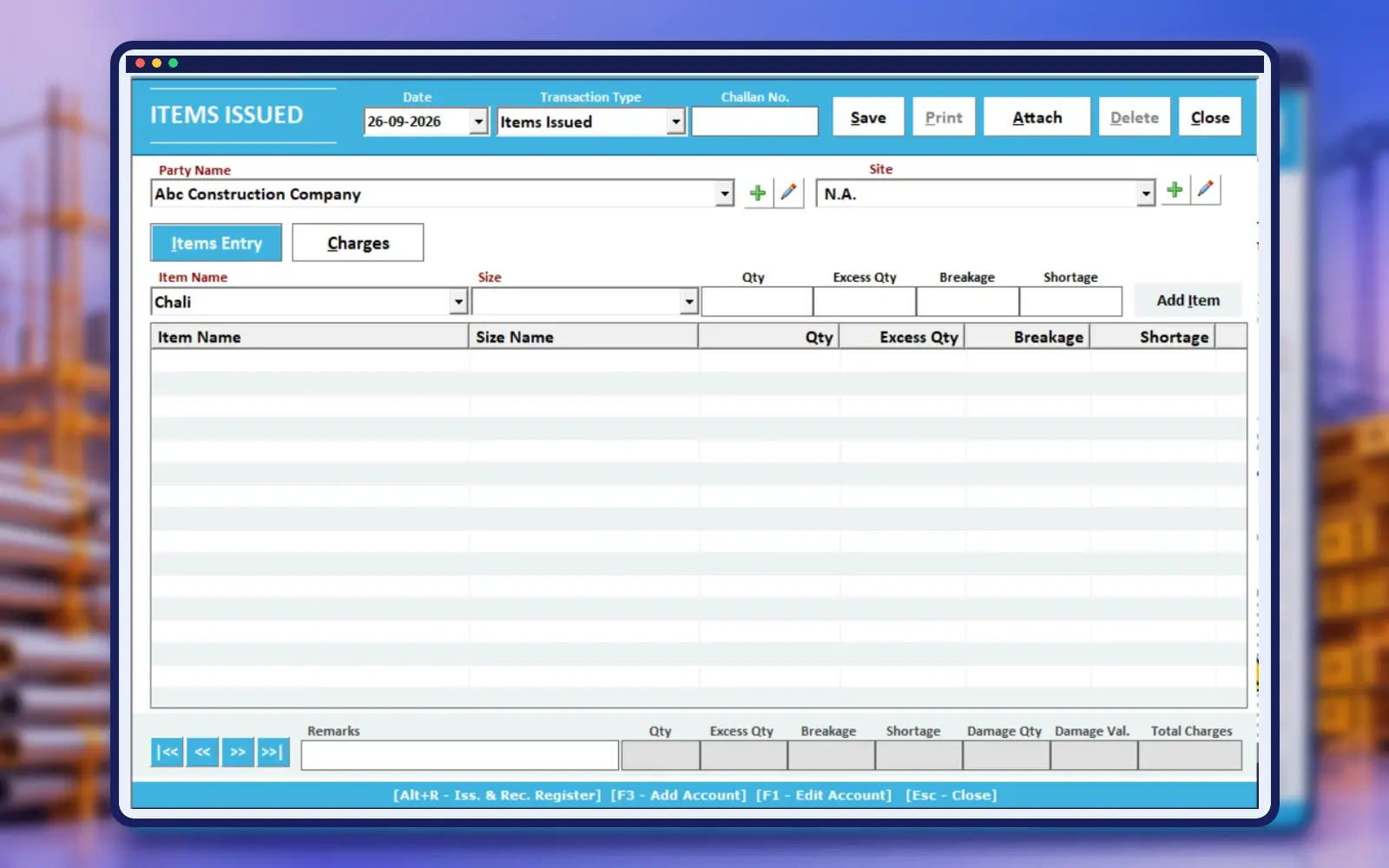
Material Issue Entry
Track dispatch to customer sites
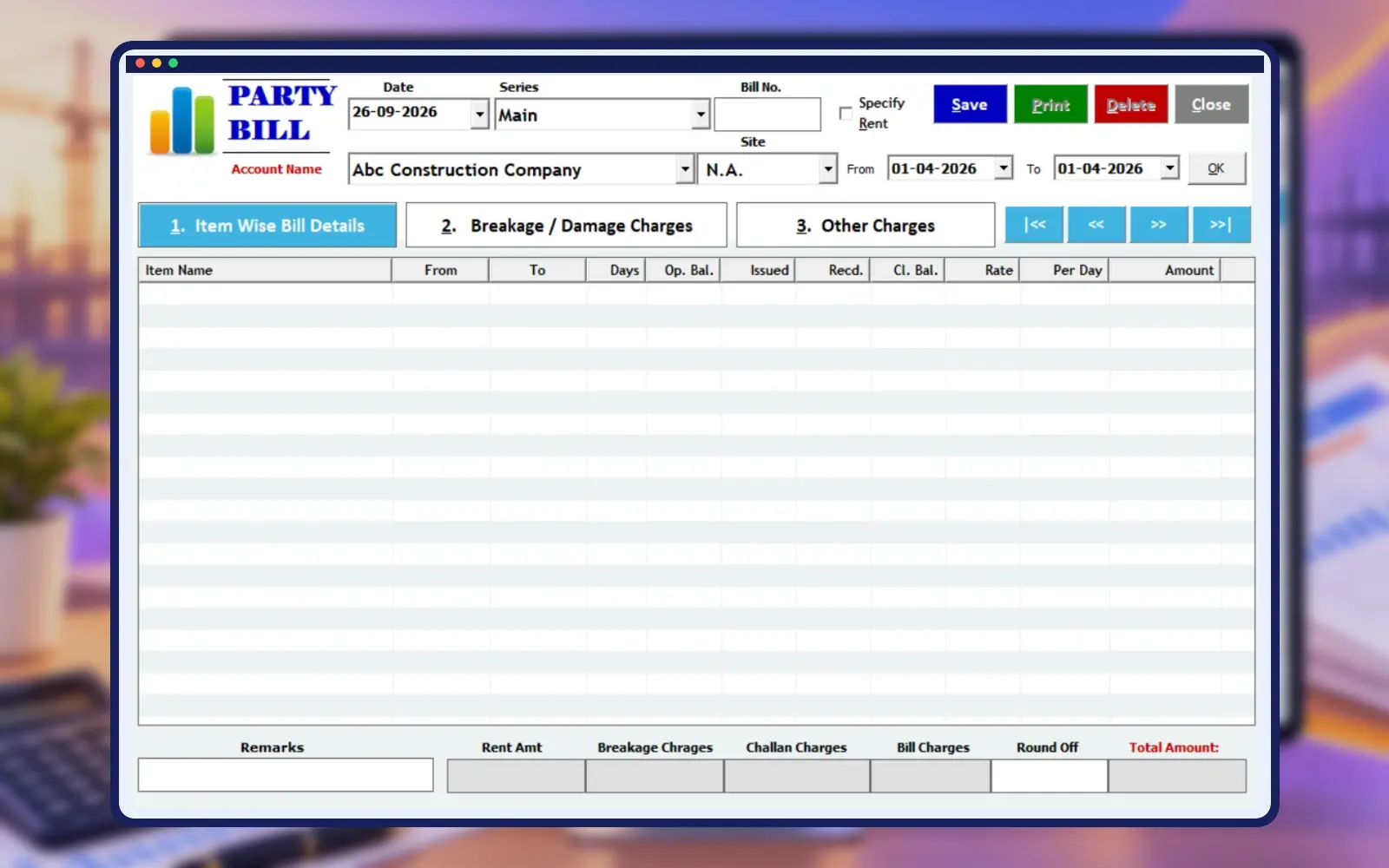
Day-Wise Rental Billing
Calculate daily rental bills
Site-Wise Material Tracking
Monitor stock at multiple sites
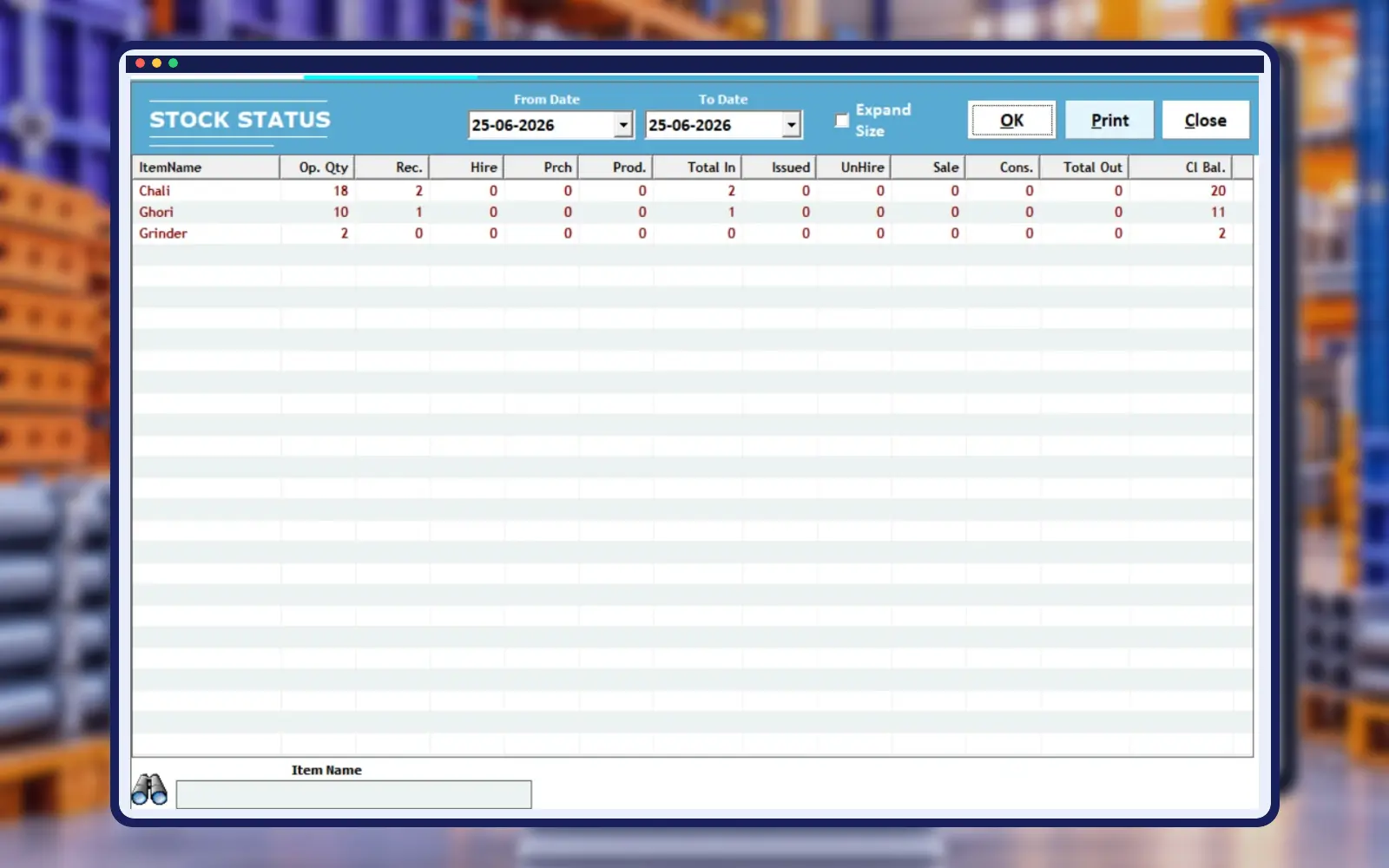
Inventory Management
See available and issued stock
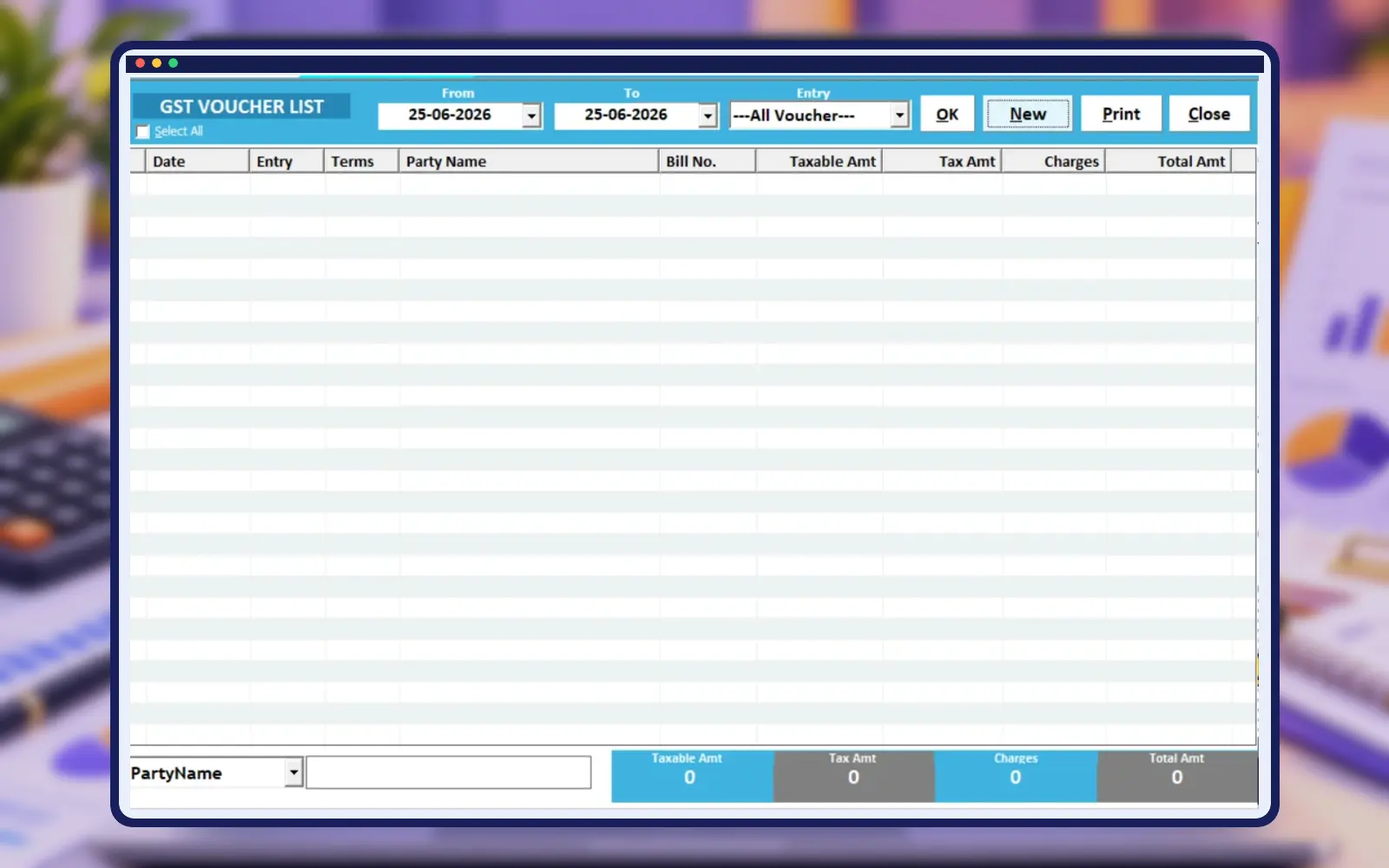
GST Reports
Generate GST reports easily
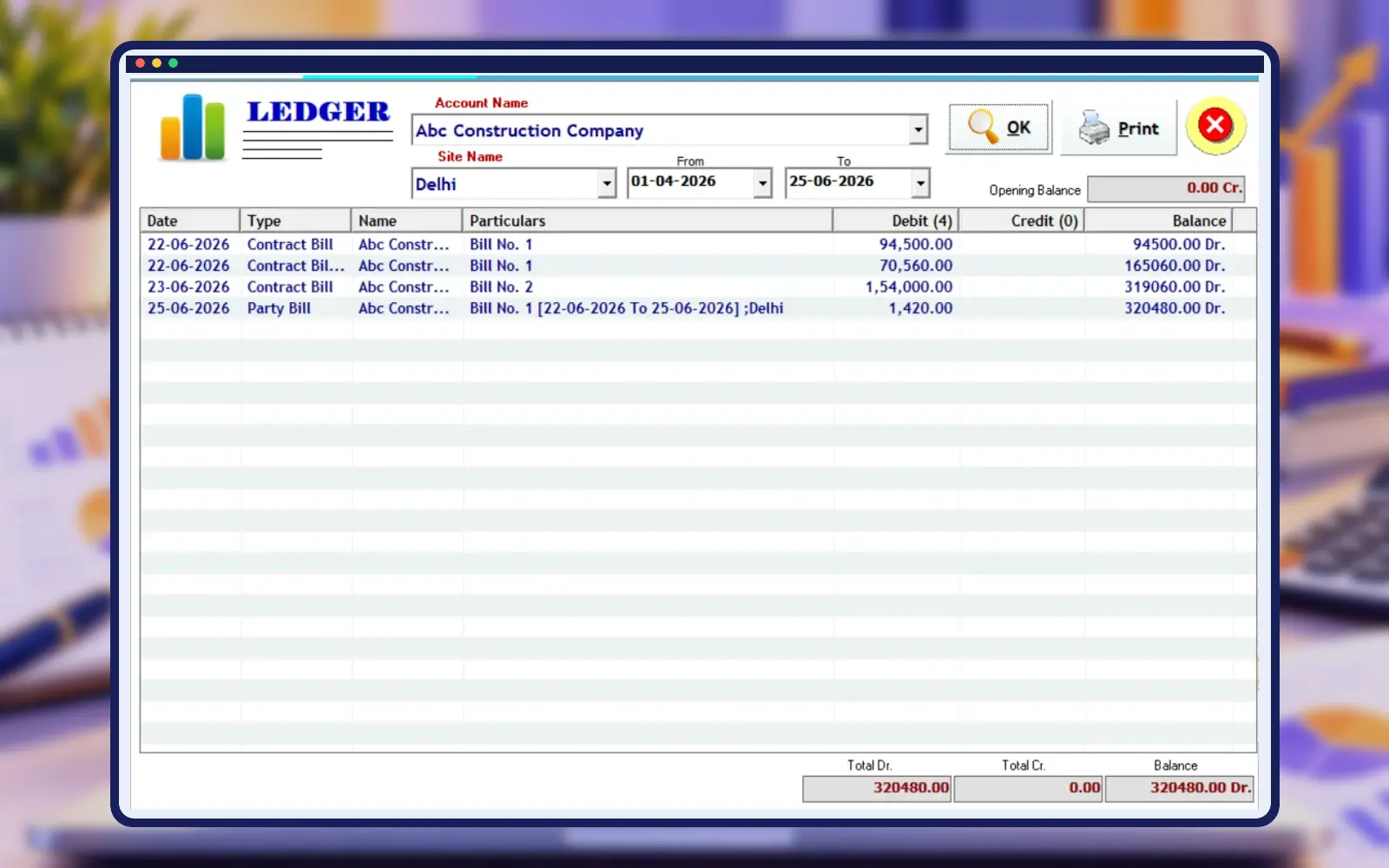
Customer Ledger
Review customer balances
Empire Scaffolding Rental Software Tour
Explore every available real software screen with consistent titles, descriptions and image frames.
Set Up Your Shuttering Rental Business
Create a structured company profile to organize business details before daily transactions. Prepare accounts, inventory, billing and reporting in one software environment.
Start with the business name, contact details and billing information used on your documents. Review the proposed setup with the person responsible for accounts before entering regular transactions. In Empire Scaffolding Rental Software, a consistent company profile helps the team work from the same business identity. Ask the support team to demonstrate any company-specific document or configuration options that your rental store needs.
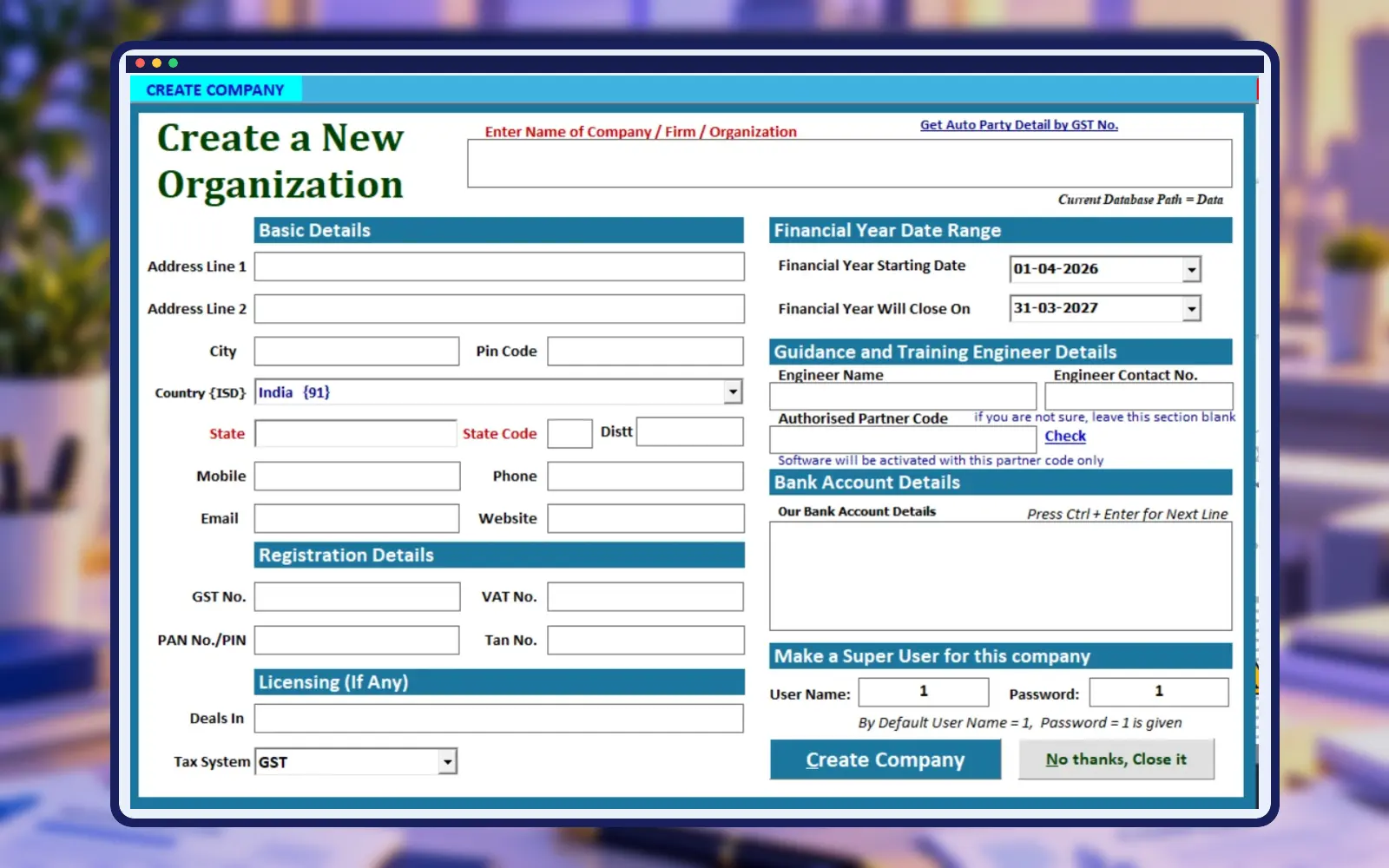
Maintain Customer and Account Records
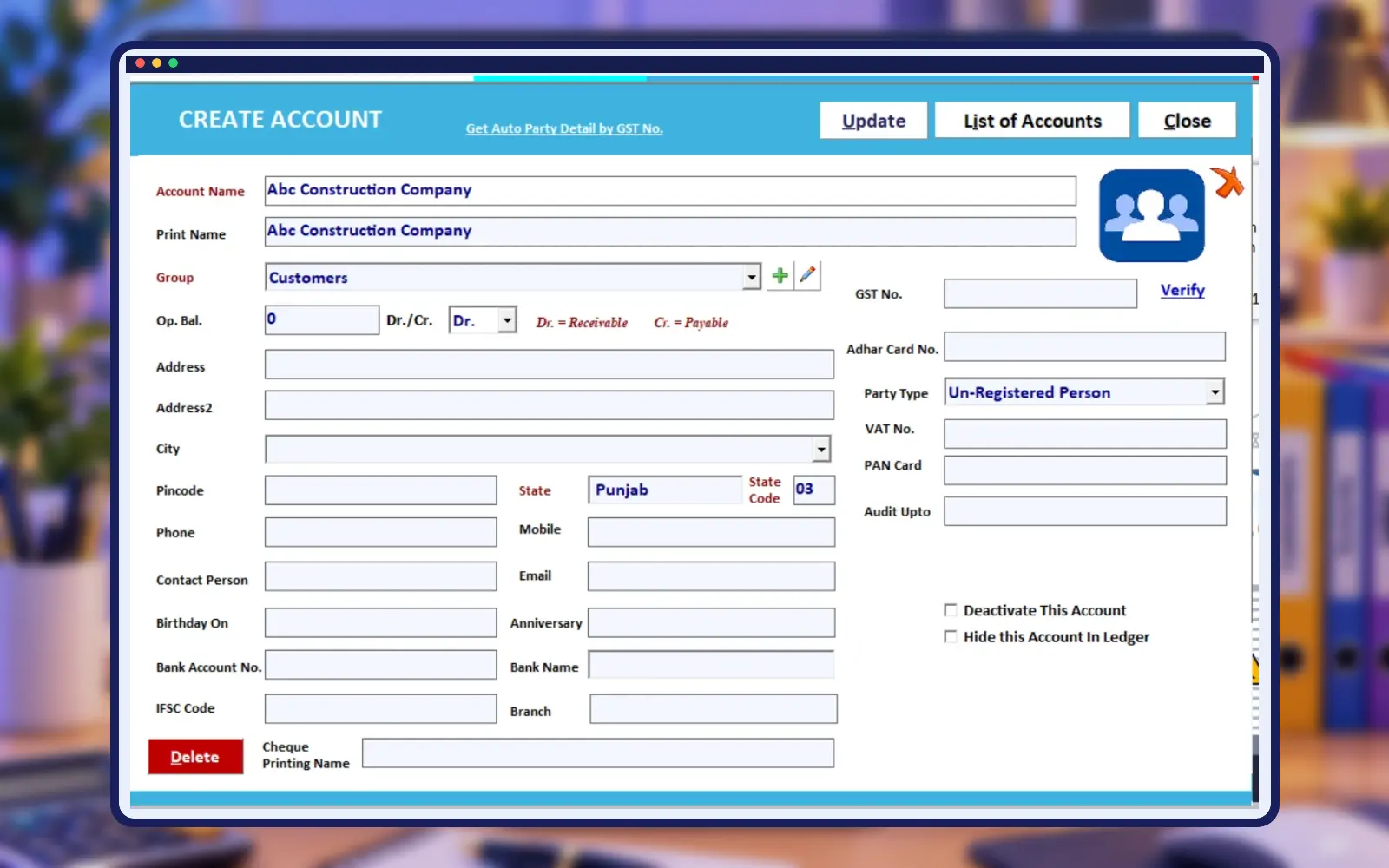
Create organized records for customers, suppliers and other parties. Keep account information ready for rental bills, receipts, ledgers and customer-wise financial reports.
Use consistent customer names and contact details so similar accounts can be distinguished quickly. Link each transaction to the appropriate party instead of creating duplicate names whenever a new site opens. Empire Scaffolding Rental Software keeps the customer record connected to rental work. During the demo, follow one customer’s issue entry, rent bill and receipt to see how the associated records are reviewed together.
Manage Shuttering and Scaffolding Items
Register rental materials with names, dimensions and applicable rates. Keep plates, props, spans, pipes and other items easy to identify during transactions.
Decide how your store will identify each material before creating the item list. Clear names and dimensions help staff distinguish similar plates, pipes and props at issue and return time. In Empire Scaffolding Rental Software, the item master provides the starting point for those records. Review the units and rate fields supported by your installation and use a sample from your own stock during setup.
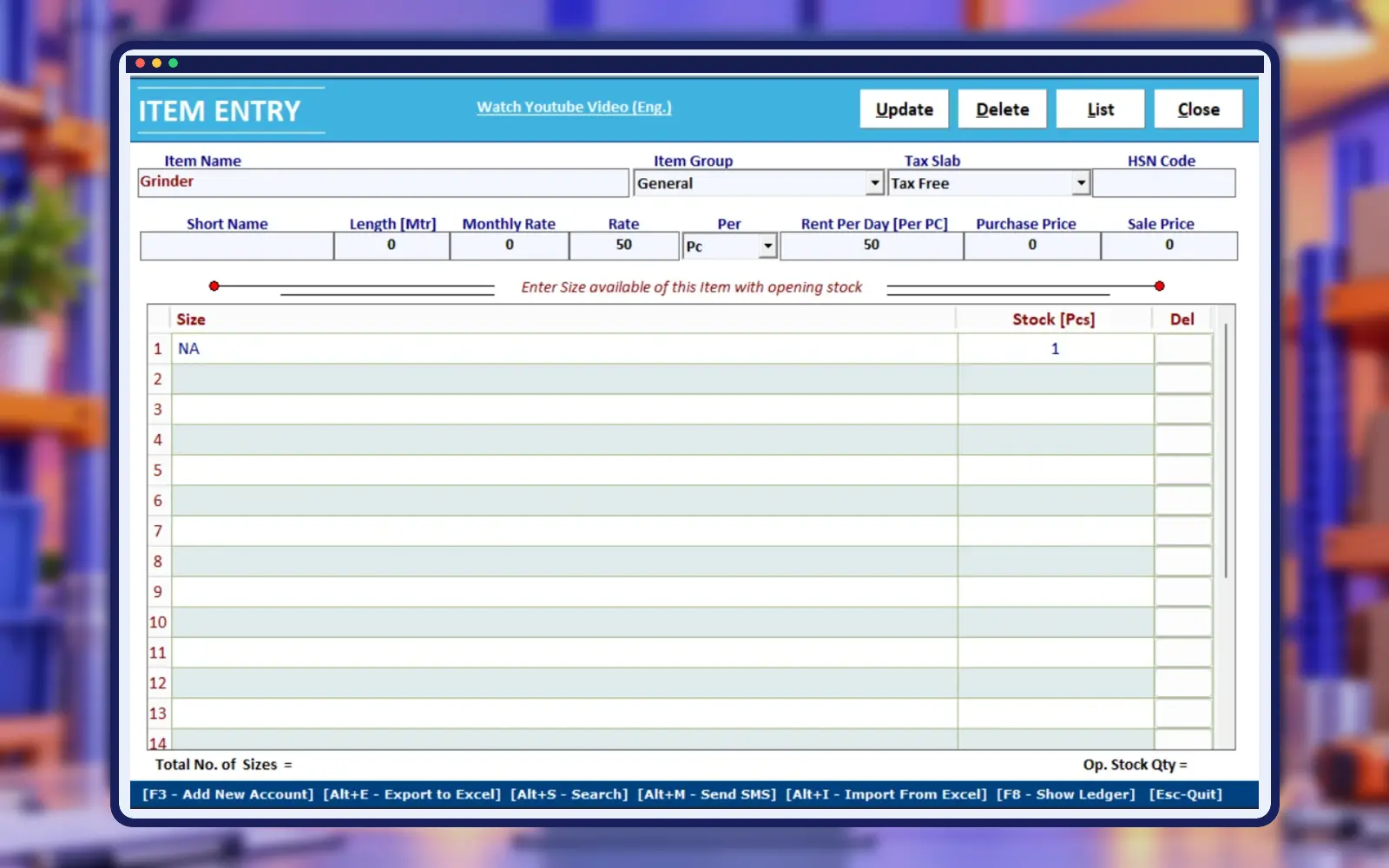
Track Material Issued to Customer Sites
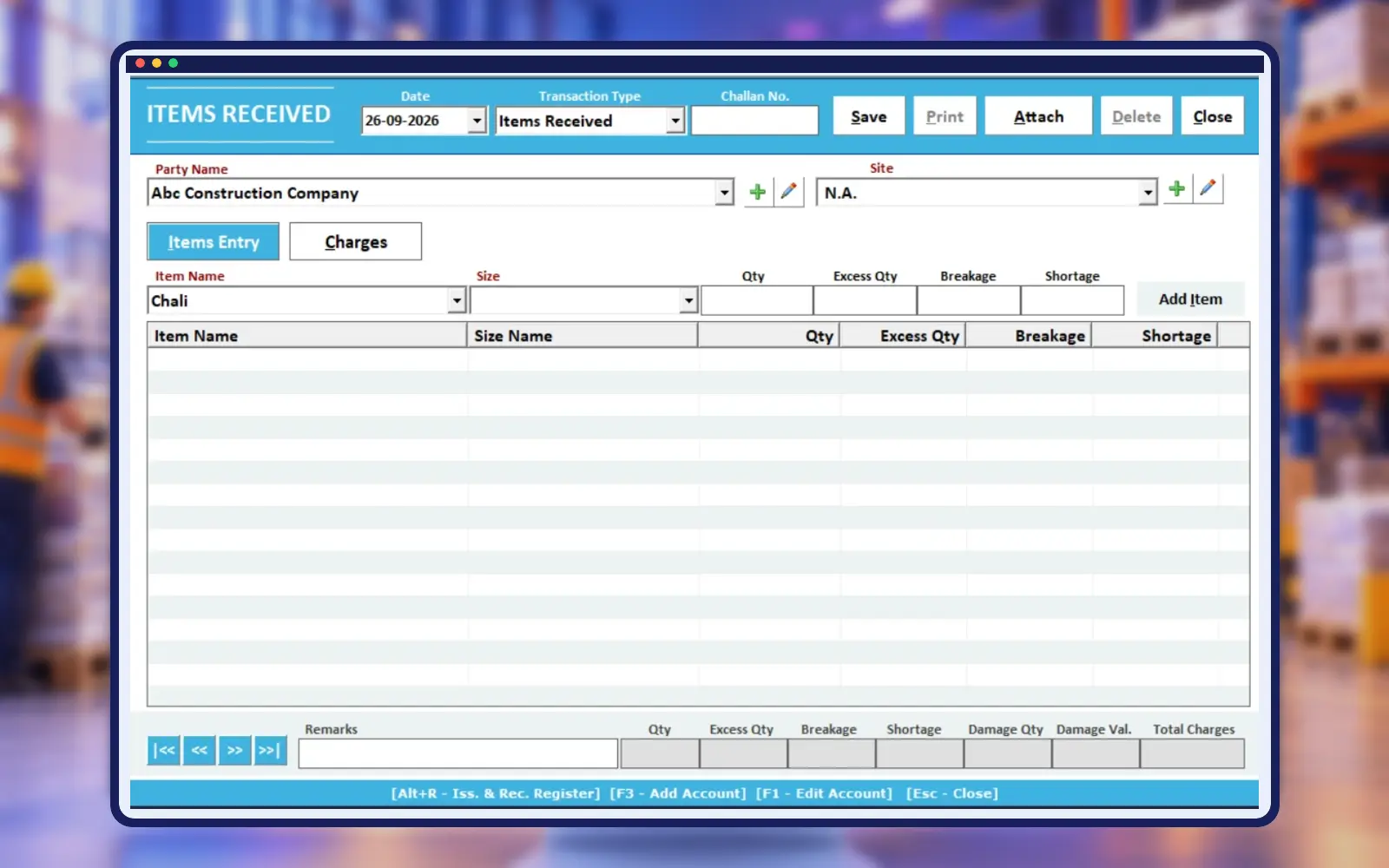
Record each dispatch with customer, construction site, item and quantity details. Maintain a clear transaction history as material moves out for rental.
Check the customer, site, transaction date, item and quantity against the physical dispatch before completing an issue record. A clear reference makes later returns easier to reconcile. Empire Scaffolding Rental Software supports the material-issue workflow shown in the screenshot. Ask for a demonstration with several items on the same dispatch, then review the related challan and the site’s stock position after entry.
Record Returned Material Accurately
Enter material returned from customer sites and update received quantities. Review what remains pending while maintaining more accurate daily rental stock information.
Compare the returned material with the relevant issue records before updating quantities. Partial returns deserve careful attention because some items may remain at the customer’s site. Empire Scaffolding Rental Software lets your team maintain received-material records alongside issue information. In the demonstration, return part of a sample dispatch and check how the pending quantity is shown before planning the next follow-up.
Simplify Day-Wise Rental Billing
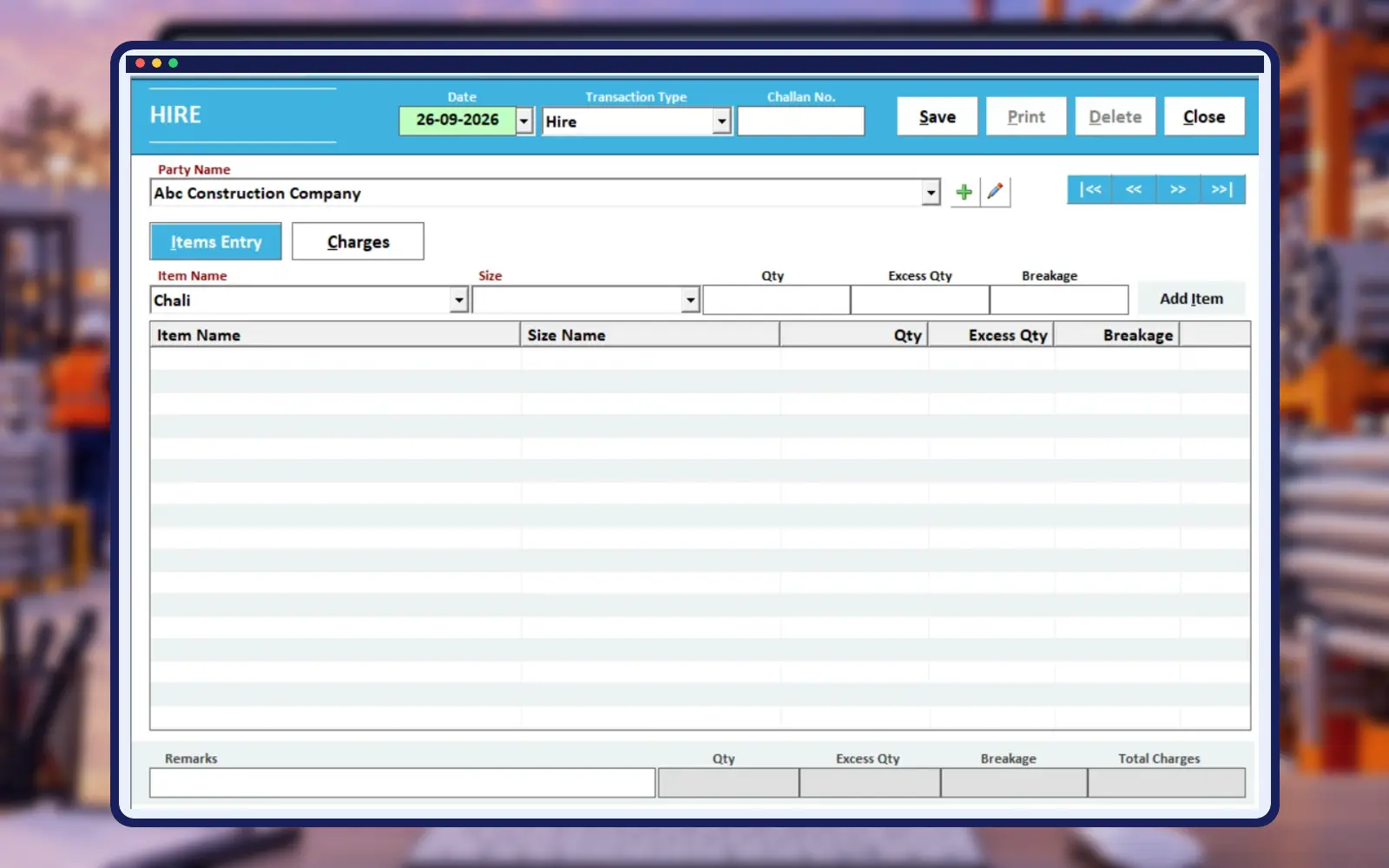
Organize issue and return dates for the applicable rental period. Prepare consistent charges when materials move in several batches on different days.
Agree on the rental start date, return date and applicable rate before preparing charges. When material is issued or returned in batches, review each movement so the billed period reflects the recorded activity. Empire Scaffolding Rental Software provides a day-wise rental billing workflow. Bring one ordinary example and one partial-return example to the demo, and compare the resulting bill with your usual calculation method.
Manage Hire and Unhire Transactions
Record when rental material begins and ends its hire period. Maintain a consistent history of activity across customers, sites and rented items.
Use hire and unhire records consistently when material enters or leaves its rental period. Keeping dates and quantities clear helps the accounts team understand why a charge was included. Empire Scaffolding Rental Software brings these transactions into the rental workflow. Ask how your business’s hire practices should be entered, and check a sample transaction before your staff begins using the process for live work.
Manage Sales and Purchases Together
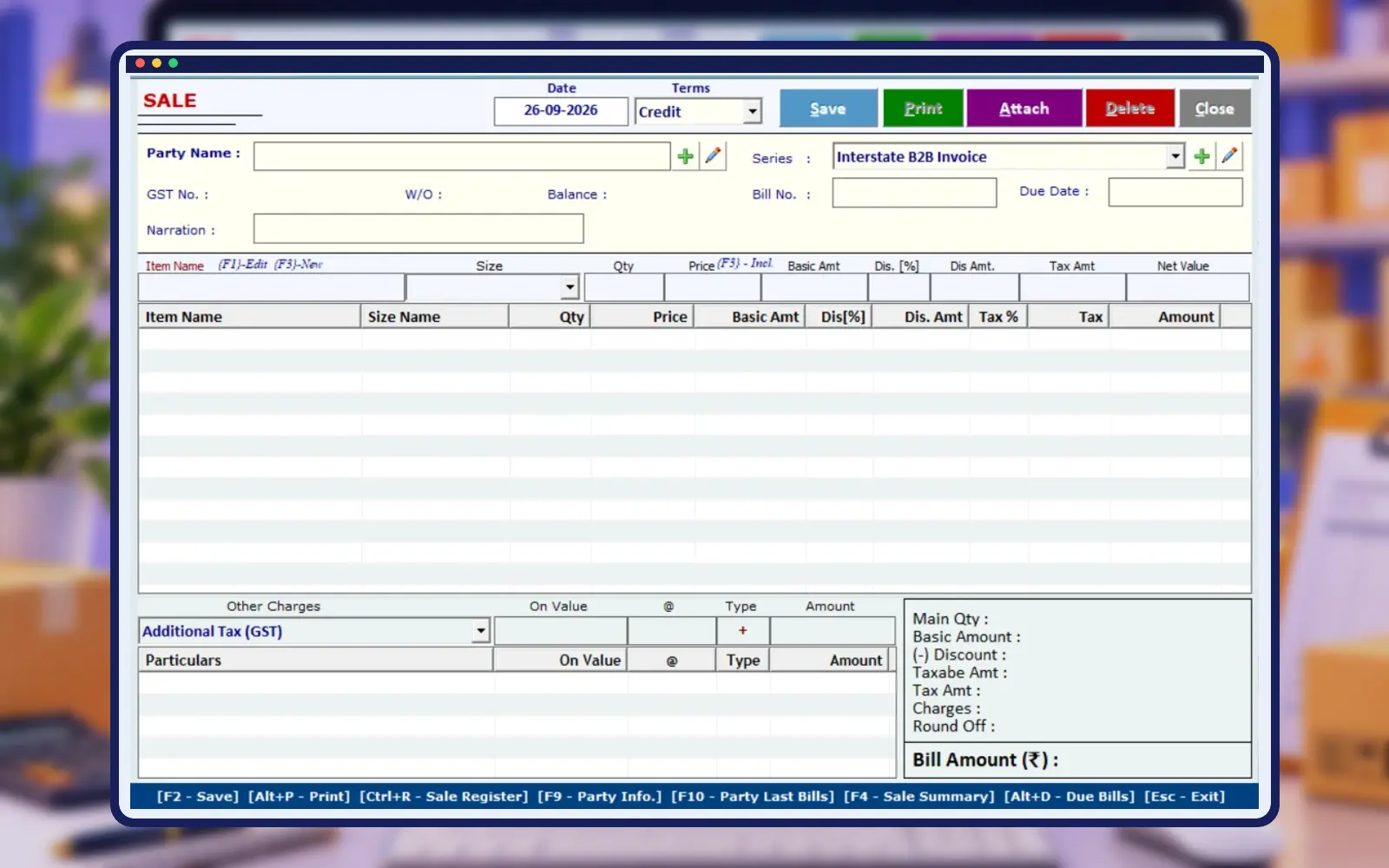
Capture relevant material sales and purchases alongside rental work. Keep important related business transactions in one organized system for easier daily review.
Keep a clear distinction between material rented to a customer and goods sold or purchased as part of the business. The transaction type affects how staff review stock and accounts. Empire Scaffolding Rental Software includes sale and purchase entry alongside rental operations. Ask the demo team to show the relevant screens with a realistic example, and confirm the documents and reports available for your installation.
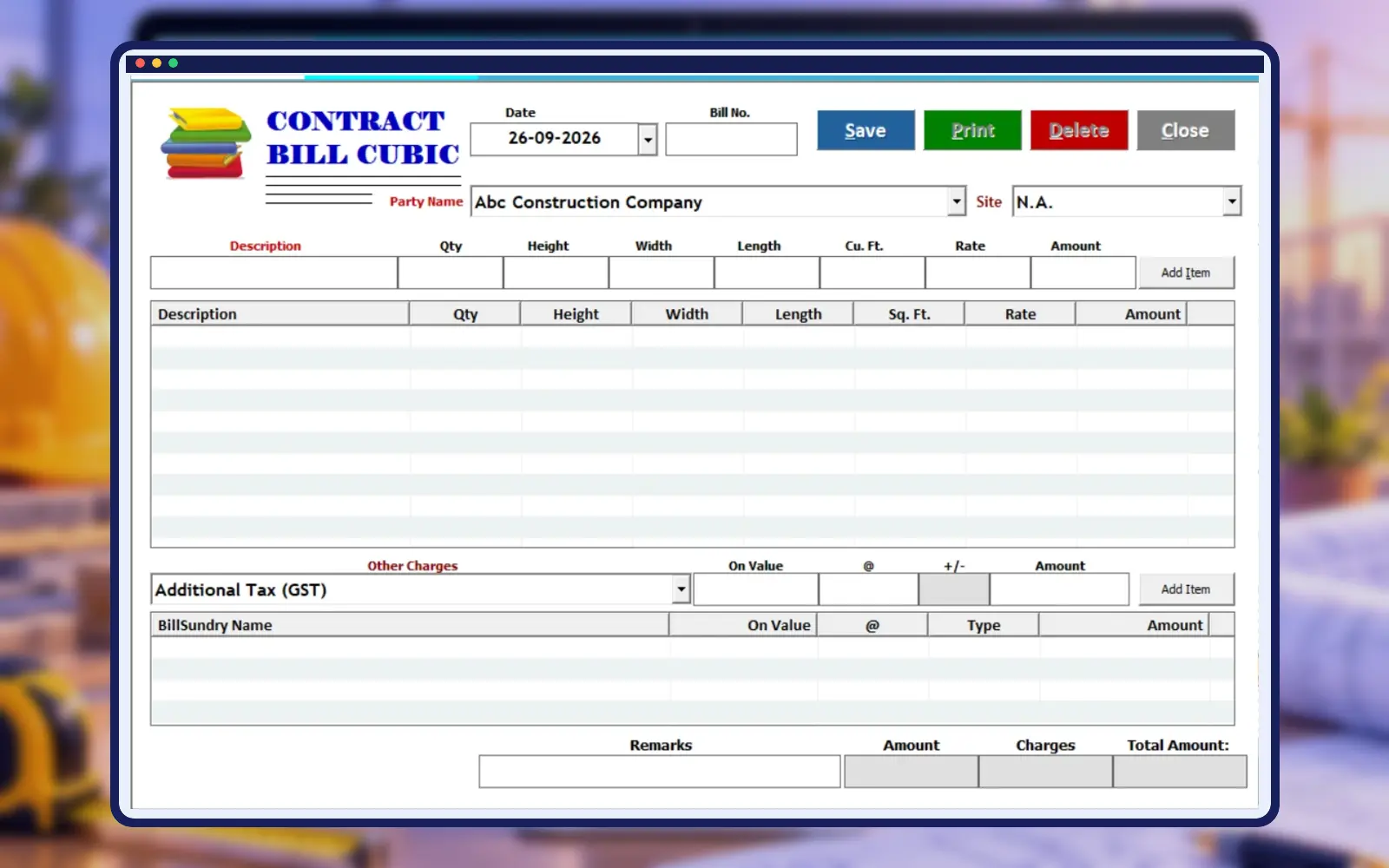
Handle Square and Cube Foot Billing
Apply suitable measurement methods for contract work when required. Organize square foot and cube foot calculations within the relevant rental billing workflow.
Measurement-based billing needs consistent units and an agreed basis for the charge. Check the dimensions and quantities used in a contract example before preparing the final amount. Empire Scaffolding Rental Software includes square-foot and cube-foot billing workflows. Ask which fields and calculation steps match your own contract work, and review a sample bill with your accounts team so the setup is understood from the beginning.
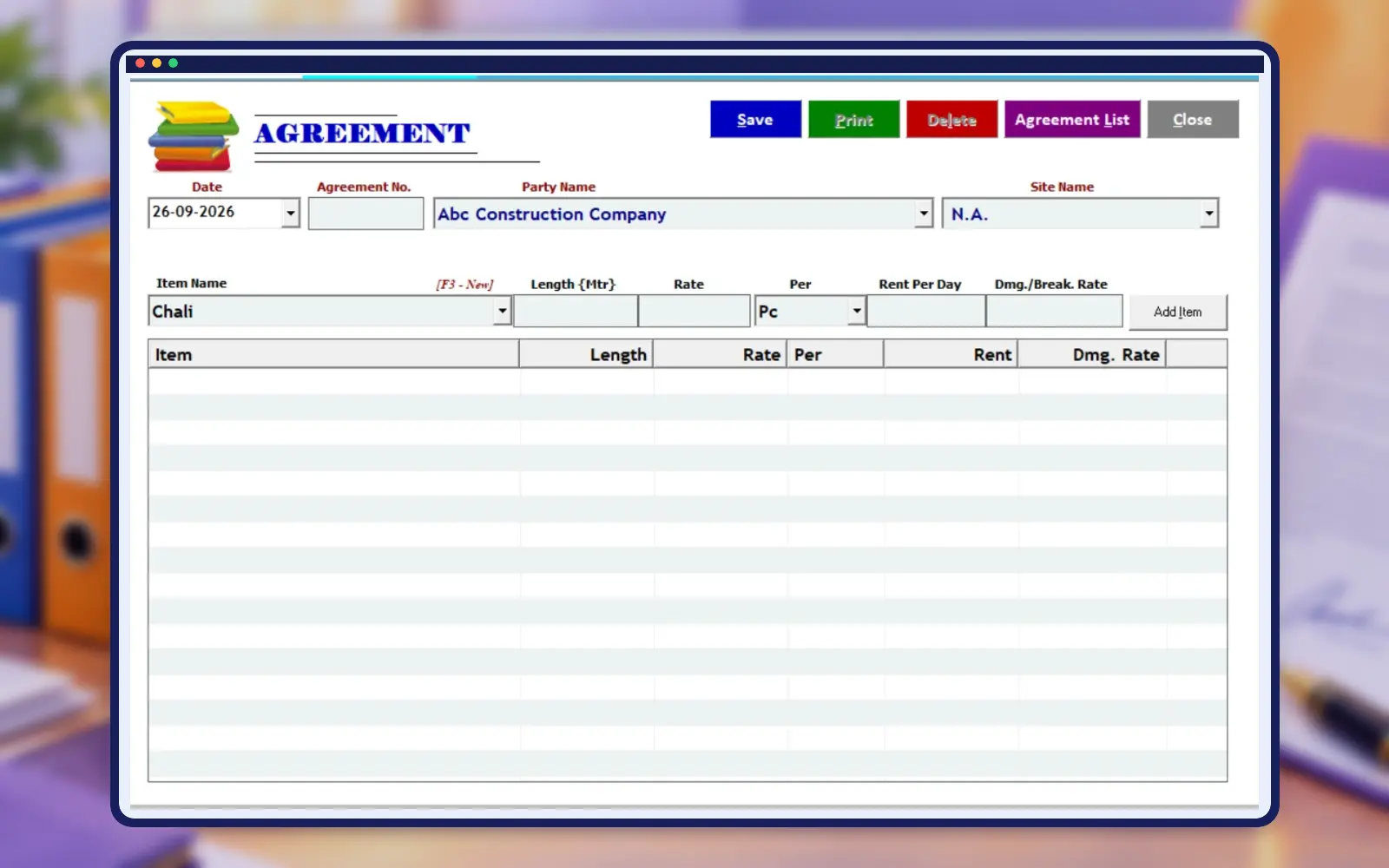
Keep Rental Agreements Organized
Maintain customer and site agreement information with commercial terms and rates. Make rental conditions easier to reference when preparing transactions and bills.
Record rental terms clearly before dispatching materials to a new site. The agreed rate, relevant dates and other commercial details should be easy for the team to reference when preparing a bill. Empire Scaffolding Rental Software includes agreement management as part of its rental workflow. Use the demo to review how your normal agreement information is entered and which output or reference options are available.
Know Where Your Material Is Located
Review rental material linked with individual construction sites. Track quantities across projects so your team can follow up and plan stock movement.
When one customer has several construction sites, use a consistent site name for each location. This helps dispatch staff avoid assigning material to the wrong project. Empire Scaffolding Rental Software provides site-wise tracking for reviewing rental quantities. In the demo, create an example with two sites for the same customer, then inspect issue, return and pending-material information to understand how your team will follow each project.
Improve Control Over Rental Inventory
Monitor daily available, issued and returned shuttering or scaffolding materials. Keep stock movement visible between your store, customers and active project sites.
Compare software stock records with periodic physical checks at the store. Review issued and returned quantities before arranging another dispatch, especially when several projects need the same material. Empire Scaffolding Rental Software keeps rental inventory movements organised. Ask how available and issued stock are displayed in the proposed setup, and establish a routine for checking entries so discrepancies can be investigated while the transaction is still recent.
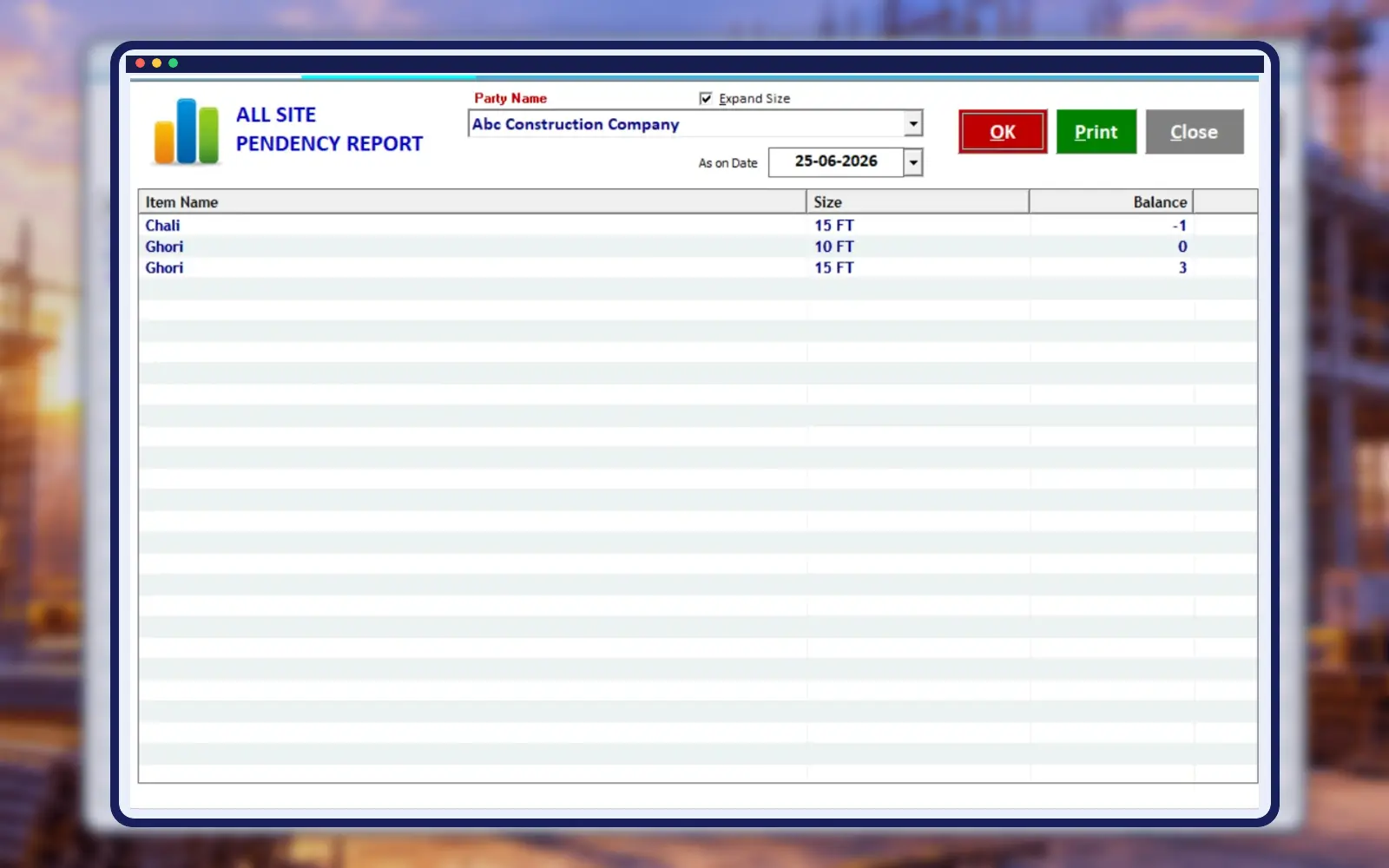
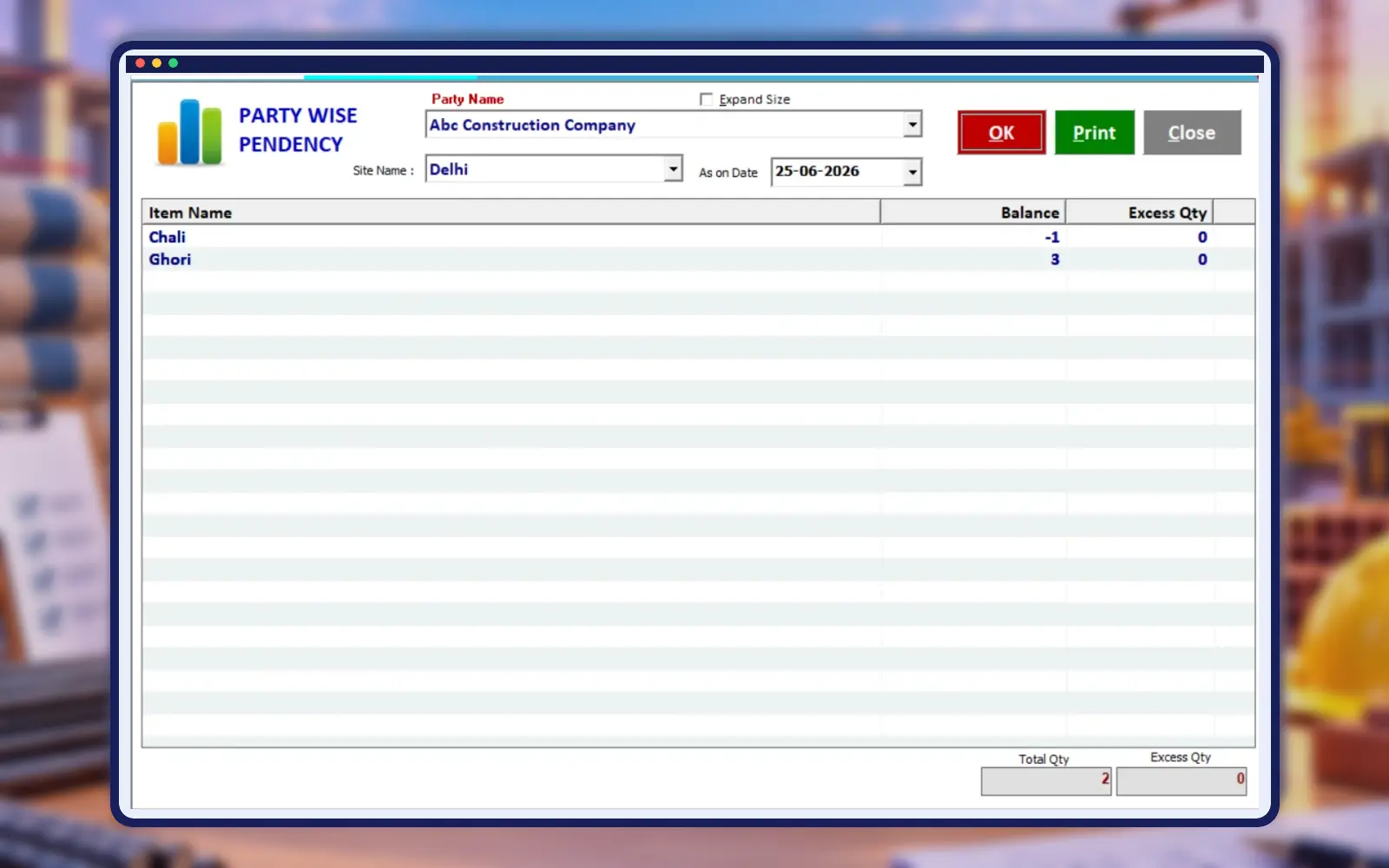
Identify Material Pending for Return
Review items and quantities still outstanding with customers or at sites. Give your team a clearer starting point for daily material follow-up.
Use pending-material information to prepare a practical follow-up list for customers and site staff. Review the relevant issue and return records before contacting a party about outstanding items. Empire Scaffolding Rental Software includes pendency reports for this purpose. During the demo, check a sample with multiple partial returns and confirm how staff can identify which quantities remain outside the store and which transaction they belong to.
Keep GST Reporting More Organized
Access GST-related reports from recorded business transactions. Maintain clearer documentation for accounting review and regular tax reporting requirements for your rental business.
Review GST-related records alongside the underlying bills and business transactions. Tax configuration should reflect the products, services and rules applicable to your business. Empire Scaffolding Rental Software includes GST reporting within its stated features. Ask the setup team to show a sample report and explain the fields used by your installation, then have your accountant confirm the required configuration before regular billing begins.
Review Customer Transactions and Balances
Check account-wise entries and outstanding amounts from the customer ledger. Bring rental billing and payment information together for easier daily financial follow-up.
Review the customer ledger when a party asks about an outstanding balance or an earlier payment. Checking the associated transactions helps staff explain how the balance arose. Empire Scaffolding Rental Software keeps account information alongside rental work. During the demonstration, follow a sample rental bill through receipt entry and ledger review, and confirm which views or document formats your accounts staff will use for routine reconciliation.
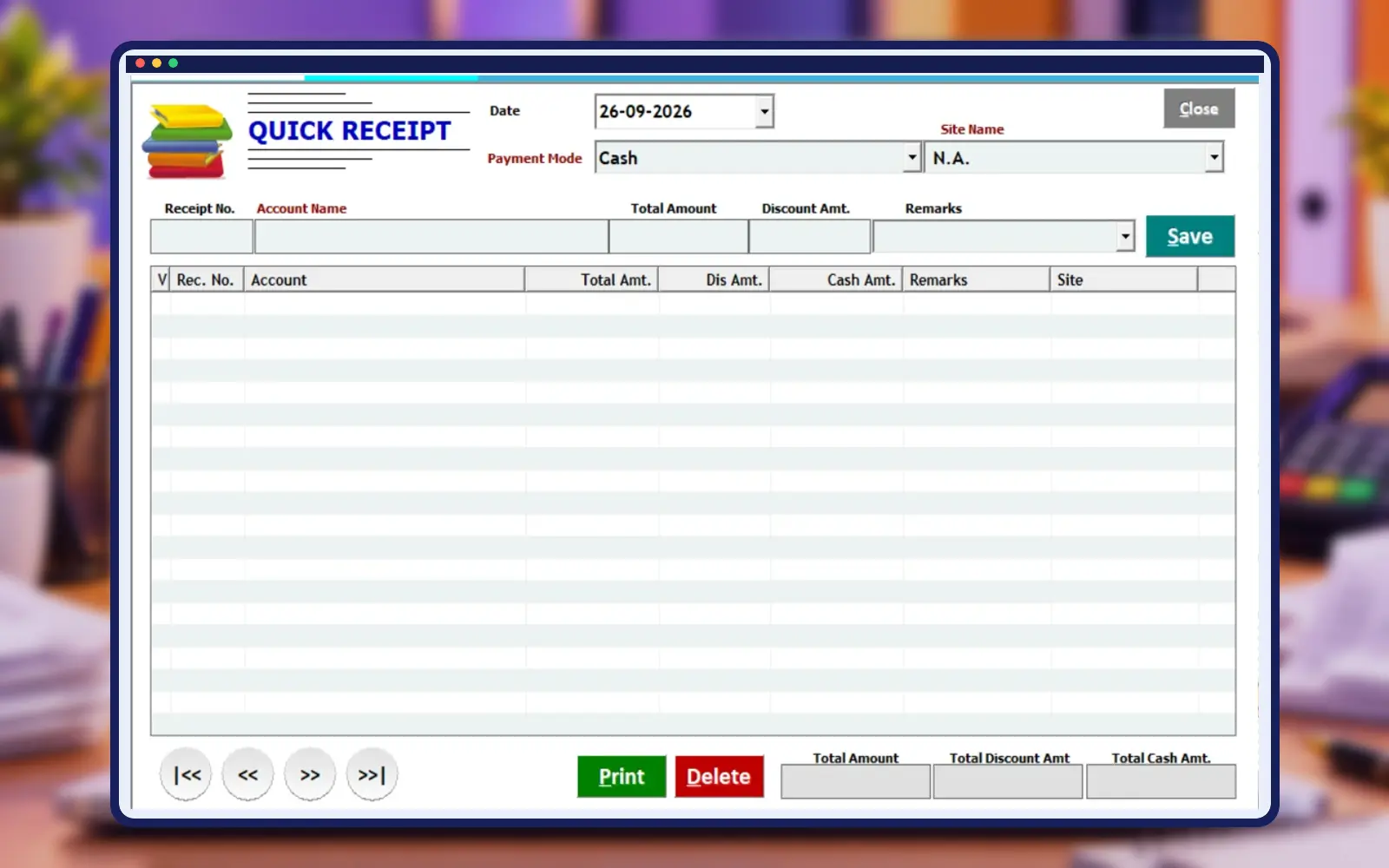
Record Customer Payments Quickly
Enter customer receipts and keep daily payment records updated. Reduce repeat entry work while maintaining a clearer picture of current account balances.
Enter a customer payment against the correct account and retain the appropriate transaction reference. The accounts team should review payments regularly so balances remain useful for follow-up. Empire Scaffolding Rental Software provides Quick Receipt Entry for the daily workflow. Ask how the payment fields and receipt output work in your proposed installation, and test an example before transferring your regular payment-entry routine into the system.
Print Professional Material Challans
Generate clear issue and receive challans for material transactions. Provide consistent professional documents for dispatch, return and day-to-day coordination with construction sites.
Use a clear challan to support coordination between the store, transport team and construction site. Check item names, quantities, party and site details before printing or handing over the document. Empire Scaffolding Rental Software includes challan printing for material movements. In the demo, compare the available output with your existing dispatch paperwork and confirm which format is suitable for your staff’s issue and return process.
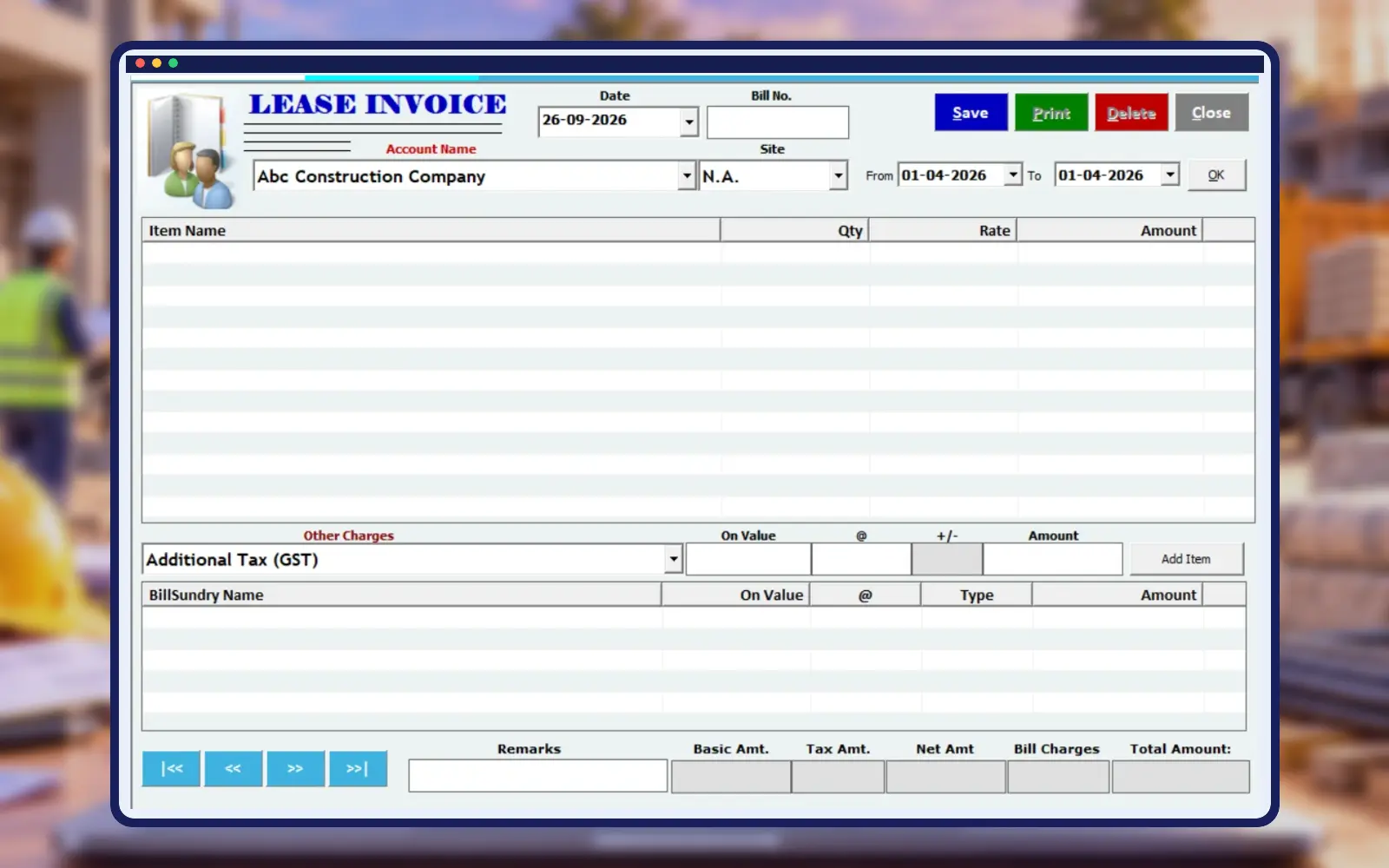
Control Access to Business Information
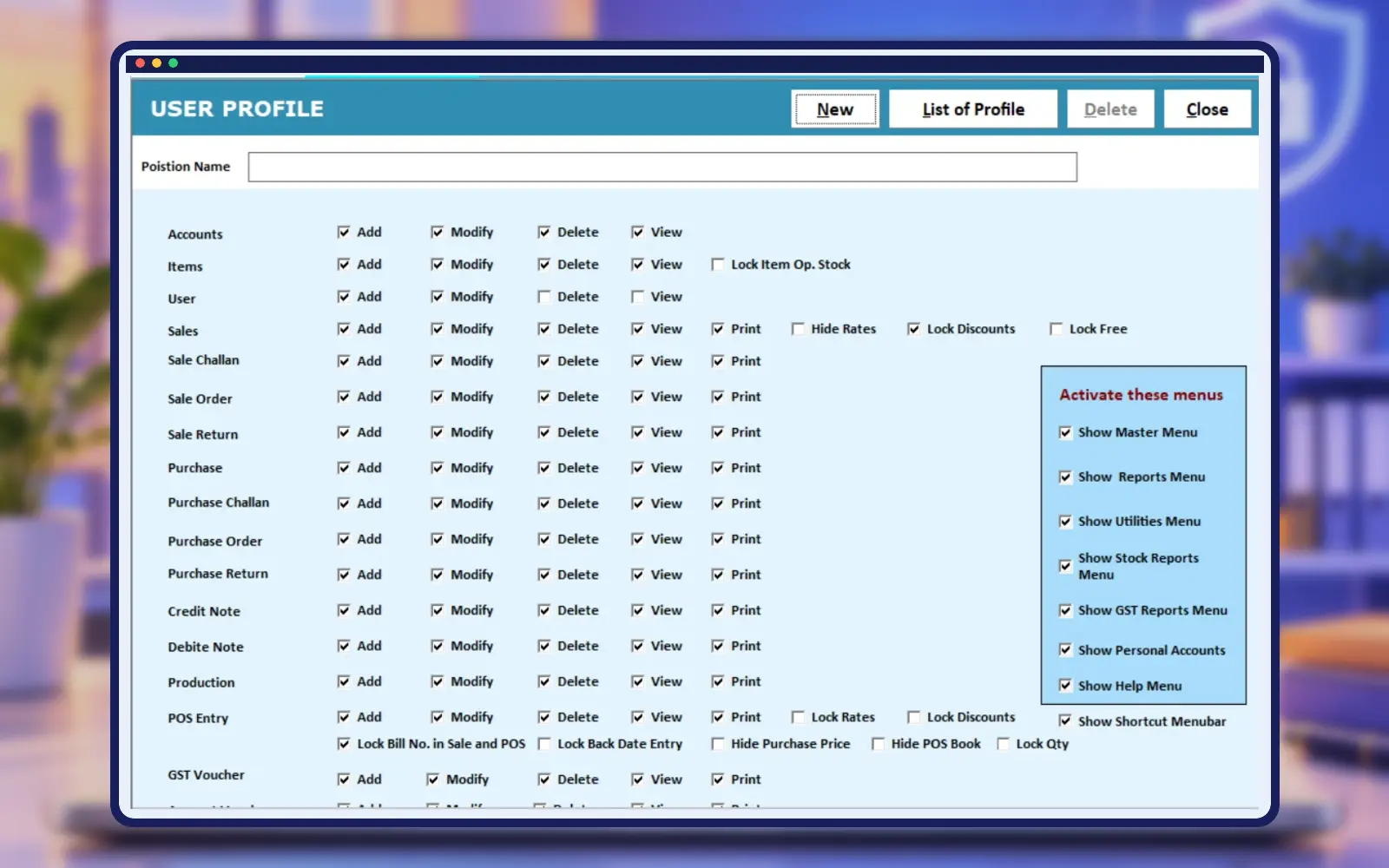
Manage access to important areas of the software. Help protect business records by assigning appropriate controls for the people using the system.
Assign software access according to each person’s work, such as dispatch entry, billing or account review. Staff should understand which records they are responsible for maintaining. Empire Scaffolding Rental Software includes user-security features within its stated capabilities. Ask the setup team to demonstrate the available permissions, confirm the backup routine, and keep recovery instructions accessible to the person responsible for maintaining the installation.
Why Businesses Choose Empire Scaffolding Rental Software
Save Hours of Manual Work
Improve Rental Billing Accuracy
Track Site-Wise Stock
Control Pending Material
Improve Customer Follow-Up
Better Inventory Visibility
Simplify Agreement Management
Keep Accounts Organized
Who Can Use Empire Scaffolding Rental Software?
Shuttering Rental Stores
Scaffolding Rental Companies
Formwork Rental Businesses
Construction Material Rental Stores
Construction Equipment Hire Businesses
Shuttering Material Suppliers
Scaffolding Suppliers
Contractors Managing Rental Equipment
Multi-Site Rental Businesses
Building Material Hire
Watch Empire Software in Action
Best Shuttering Rental Management Software 2026
See material issue, return, billing and reports in a Hindi walkthrough.
Best Shuttering & Scaffolding ERP Software
Explore hire entries, rental billing and pendency management.
What Shuttering & Scaffolding Businesses Say
Customer Reviews of Empire Shuttering & Scaffolding Software
Read customer experiences with Empire Shuttering & Scaffolding Software. Share your own experience using the form below.
Shree Balaji Shuttering & Scaffolding
Good software for managing shuttering and scaffolding rental businesses. It helps maintain material stock, rental records, material returns, site tracking, and billing in an organized way. A useful solution for simplifying day-to-day rental operations.
Rajesh Kumar
Empire Software has made our material issue and return process much easier to manage. Site-wise records and rental billing are now more organized.
Amit Sharma
The pendency and stock features are very useful for our daily work. We can check customer material records much faster.
Gurpreet Singh
Day-wise rental billing saves us a lot of manual calculation work. The software is practical for a shuttering rental business.
Sandeep Verma
Site-wise material tracking and customer ledger have improved the way we manage multiple construction projects.
Rakesh Gupta
Material issue, receive and billing are available in one system, which makes our daily rental workflow easier.
Manpreet Singh
Empire Software gives us a better view of pending material, stock and customer accounts. It is useful for regular rental operations.
Share Your Experience
Tell us about your experience with Empire Shuttering & Scaffolding Software by Hardeep ERP Software. Submit your business name, star rating and review below. Your email stays private. Reviews appear after approval.
Ready to Manage Your Shuttering & Scaffolding Business Smarter?
Organize material movement, rental billing, pending stock and customer accounts with Empire Scaffolding Rental Software.
Scaffolding Rental Software: Frequently Asked Questions
Answers about setup, stock, rental billing and support.
It is rental management software for shuttering and scaffolding businesses, covering material movement, billing, stock, agreements, reporting and accounts.
Shuttering stores, scaffolding rental companies, formwork businesses and construction material hire teams can use it.
Yes. Material Issue Entry and Material Receive Entry maintain records of rental material movement.
Yes. The software organizes transaction dates and details needed for day-wise rental calculations.
Yes. Site-Wise Material Tracking helps associate rental material with individual construction locations.
Yes. Pendency Reports help identify material still awaiting return.
Yes. Item and inventory records can organize materials by size.
Yes. Agreement Management maintains relevant customer and site terms.
Yes. GST-related reports are among the available features.
Yes. WhatsApp bill sharing is listed as an Empire Scaffolding Rental Software feature.
Yes. Auto Backup and User Security are included among the stated capabilities.
Yes. Ledger and Quick Receipt Entry support customer balances and payment records.
Yes. Challan Print provides issue and receive documentation.
Yes. Site-wise tracking helps businesses supplying material to several construction projects.
Select Book a Free Demo to send a WhatsApp enquiry to Hardeep ERP Software.
Yes. Its accounting, ledger and receipt features help keep financial records alongside rental operations.
Yes. It is designed for both shuttering and scaffolding rental inventory workflows.
Yes. Use the WhatsApp demo button to ask Hardeep ERP Software about pricing and your business requirements.
Shuttering and scaffolding rental management by Hardeep ERP Software.