METRO
Liquor Wine Shop Management Software
Smart Billing • Accurate Stock • Better Control • Detailed Reports
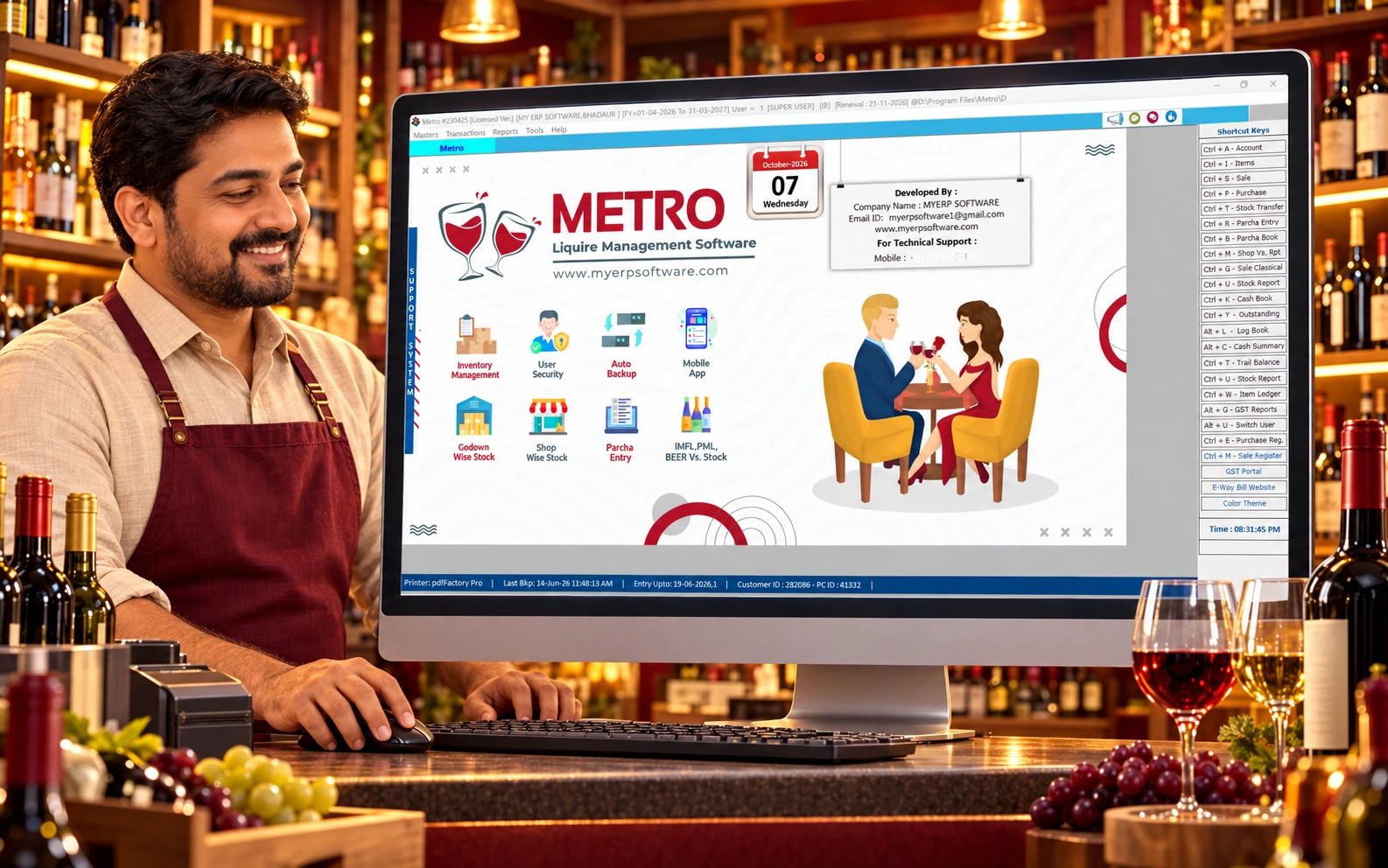
Bring billing, inventory, stock transfers and daily reports together with METRO Liquor Wine Shop Management Software. Keep your wine shop operations organized and easy to monitor.
Manage brand-wise, category-wise and bottle-size stock, record purchase parcha entries, and track movement between your shop and godown. Connected sales and stock records give owners and staff a clearer view of daily business activity.
Review opening and closing stock, share bills on WhatsApp where configured, and organize licence-related records. Explore billing, reports and the recommended backup workflow in a free demo.
Know More About METRO
Professional Introduction
Complete Wine Shop Management Software for Smarter Liquor Retail Operations
Running a liquor or wine shop involves much more than creating sales bills. A shop owner needs to monitor different brands, categories, bottle sizes, purchases, godown stock, daily closing stock and business reports while keeping records organized.
METRO Liquor Wine Shop Management Software brings these important daily operations together in one professional system.
The software is designed to help owners and staff maintain organized information for liquor and wine inventory with convenient entry screens and useful reports.
Whether you manage a single wine shop, liquor retail counter or stock stored across a shop and godown, METRO provides the tools needed for better operational control.
Manage Your Daily Wine Shop Work from One Software
- Liquor and wine shop billing
- Brand-wise inventory management
- Category-wise stock tracking
- Bottle-size-wise stock management
- Daily opening and closing stock
- Purchase and parcha entry
- Godown stock transfer
- Licence-related record management
- Sales and purchase reports
- WhatsApp bill sharing
- Data backup
- Business reports and analytics
Powerful Features
Powerful Features for Liquor & Wine Shop Management
METRO combines important wine shop billing, liquor inventory management and stock control features into a simple workflow designed around the everyday requirements of liquor retailers.
Maintain L1-L2 & L13-L14 Licence Records
Organize relevant licence-related details and records from within the software. Keep important information structured so it can be accessed whenever required.
Brand Wise & Category Wise Stock
Maintain liquor stock according to different brands and product categories. Quickly identify available quantities and organize a large product catalogue without depending on manual registers.
Nips, Pints, Quarters, Half & Bottle-Wise Stock
Track stock according to the different pack sizes used in your business. Maintain a clearer view of quantities for nips, pints, quarters, half bottles, full bottles and other configured sizes.
Daily Stock Report
View organized daily stock information to understand opening stock, transactions and available closing quantities.
Parcha Entry
Enter purchase or stock parcha information quickly and maintain systematic records for incoming goods.
Godown Transfer
Transfer stock between a godown and shop or between configured stock locations while maintaining a better record of inventory movement.
Send Bills on WhatsApp
Share sales bills conveniently with customers through WhatsApp when required.
100% Secure & Reliable Workflow
Keep your important business information organized through controlled software operations and recommended backup practices.
Data Backup & Safety
Maintain backups of important software data to reduce the risk of losing business records because of accidental system problems.
Detailed Reports & Analytics
Review sales, purchases, stock and other available business reports to make better-informed operational decisions.
Easy to Use & Support
METRO is designed with practical day-to-day shop operations in mind so owners and staff can work with commonly used entries and reports efficiently.
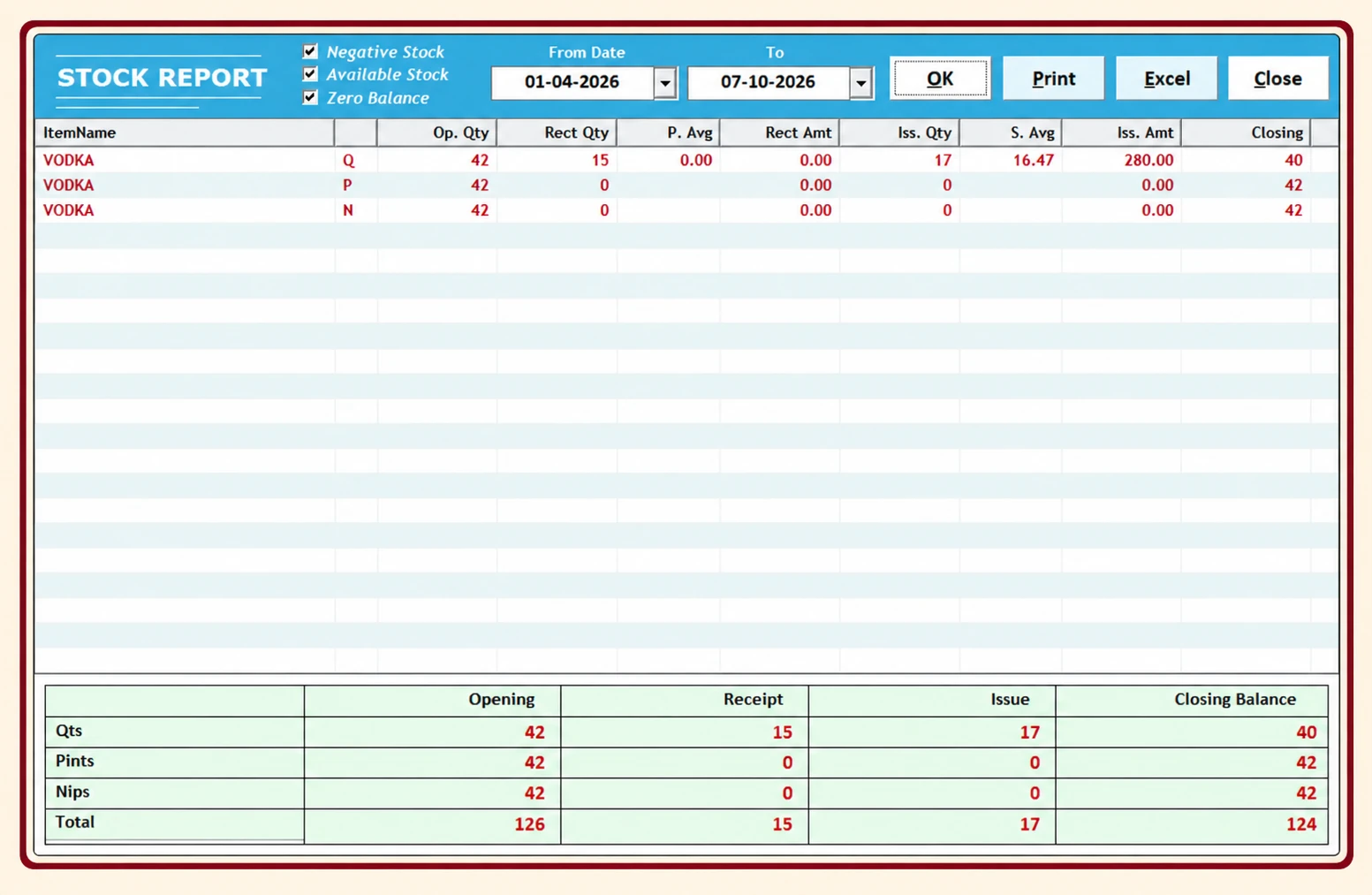
Actual METRO stock report
Smart Stock Management
Know What Is Available in Your Liquor Shop
Inventory is one of the most important parts of liquor retail management.
METRO helps organize inventory using brand, category and bottle-size information, providing the shop owner with a clearer picture of available stock.
Instead of depending completely on handwritten registers or disconnected records, the software helps bring important stock information together.
Brand-Wise Stock Management
Track Every Liquor Brand More Efficiently
Different liquor stores may handle a large number of whisky, beer, rum, vodka, wine and other product brands.
METRO's brand-wise liquor inventory management helps maintain stock information according to individual brands.
This makes it easier to review product quantities and locate relevant stock information when required.
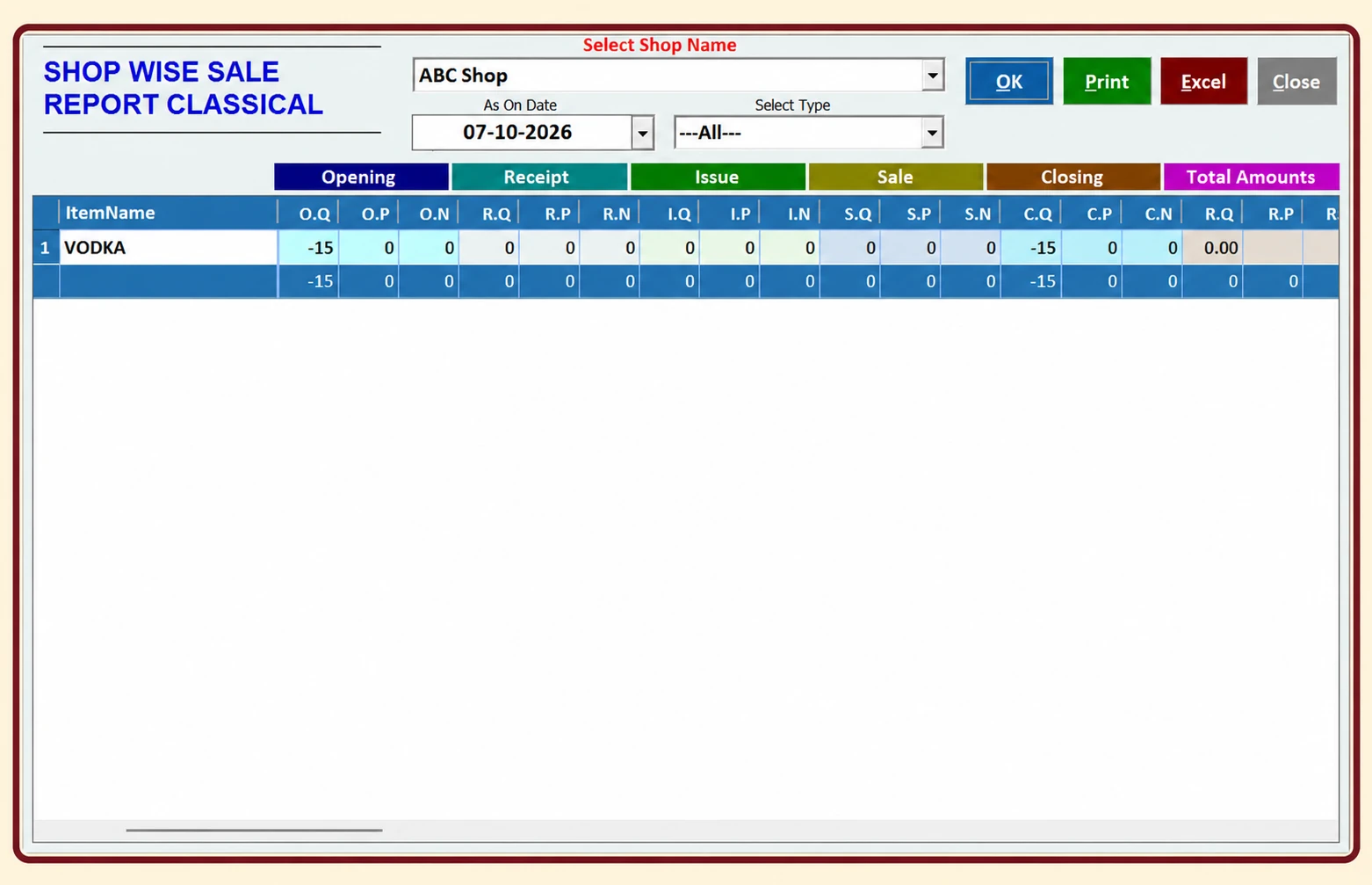
Actual METRO shop-wise sale report
Actual METRO stock report
Category-Wise Stock
Organize Inventory by Liquor Category
Maintain structured stock according to categories configured for your business.
Depending on your product setup, categories can help separate different product groups and improve stock reporting.
A well-organized category structure makes it easier for staff and owners to understand inventory.
Size-Wise Liquor Inventory
Nips, Pints, Quarters, Half & Full Bottle Stock Management
Liquor products are sold in different pack sizes, making normal inventory software difficult to use for some liquor retailers.
METRO is designed to maintain stock according to the sizes configured in the software, such as:
Nips
Pints
Quarters
Half bottles
Full bottles
Other available pack sizes
This provides more useful inventory information compared with treating every variant as the same stock item.
Stock report showing Qts, Pints and Nips
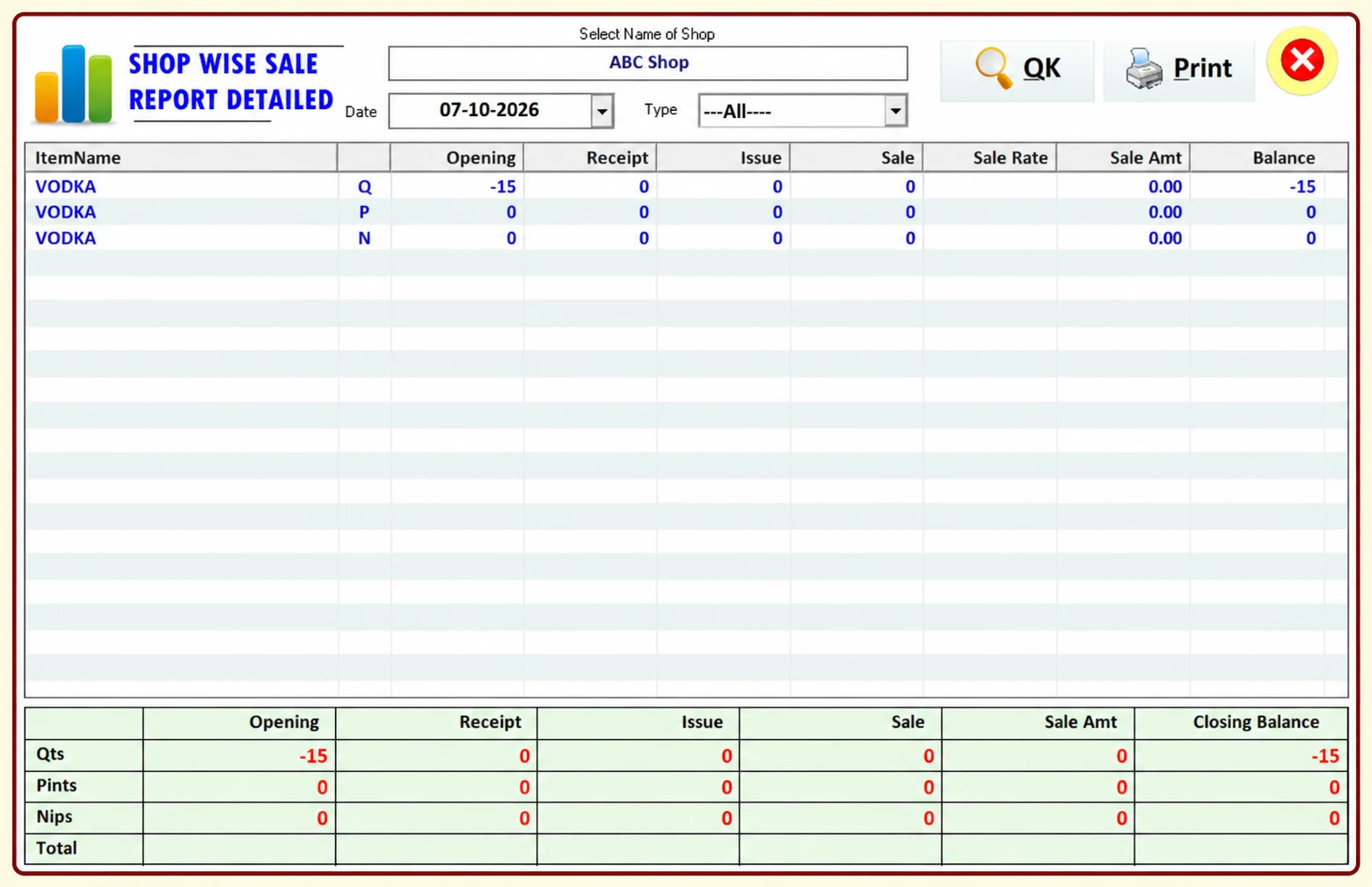
Actual METRO detailed shop-wise sale report
Daily Stock Report
Check Daily Wine Shop Stock with Better Accuracy
The Daily Stock Report helps owners review stock information for their regular business operations.
Use the report to better understand available inventory and track day-to-day movement.
Regular stock review can also make it easier to identify differences between expected and physical inventory.
Parcha Entry
Faster Purchase & Parcha Entry
METRO provides a dedicated workflow for maintaining parcha-related entries.
Instead of repeatedly writing or searching through manual records, the relevant purchase information can be maintained in the software for easier reference and reporting.
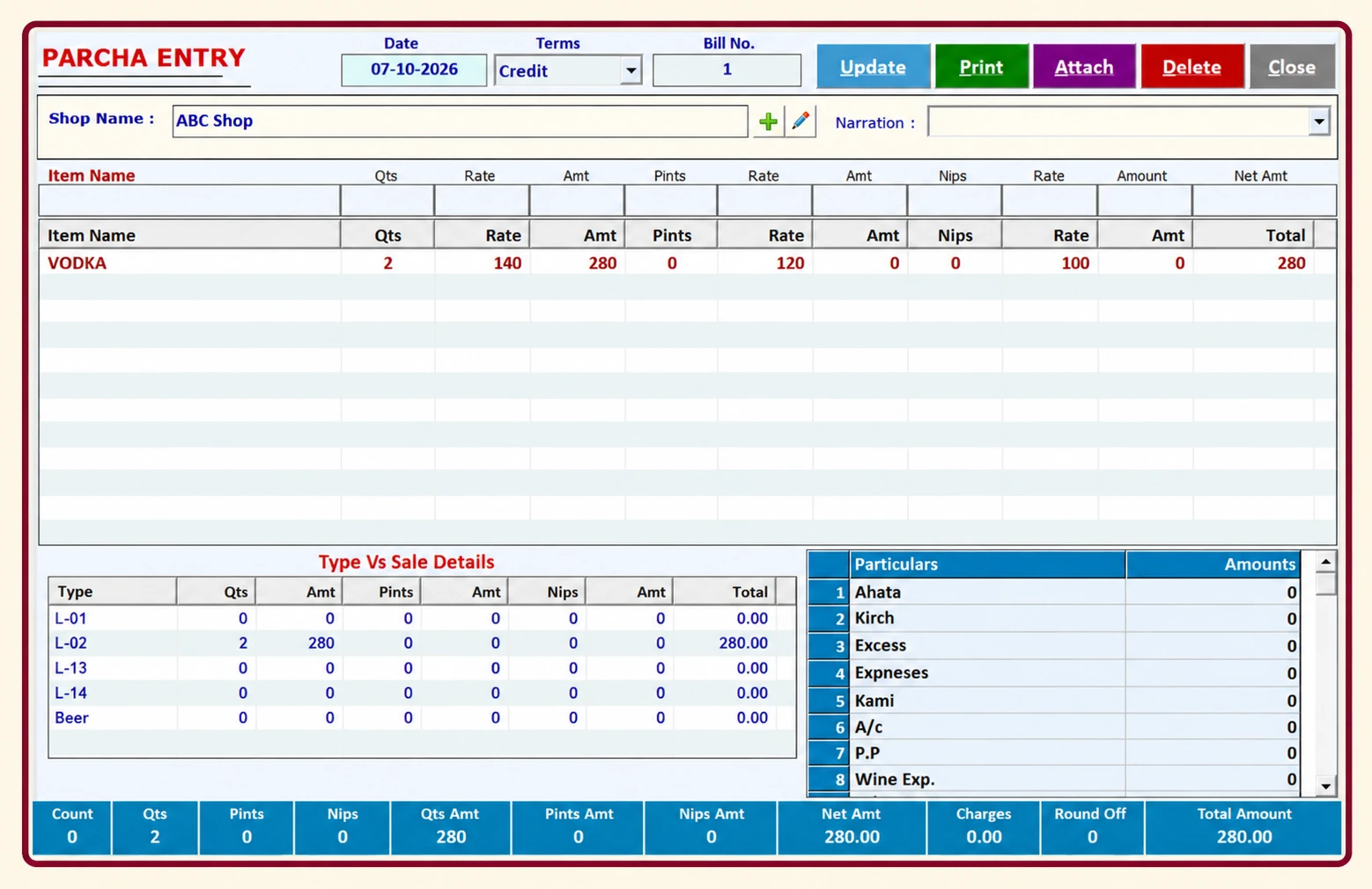
Actual METRO Parcha Entry screen

Actual METRO Stock Transfer screen
Godown Stock Management
Seamless Stock Transfer Between Shop & Godown
Businesses using separate storage locations need a reliable way to record stock movement.
METRO's Godown Transfer functionality helps maintain information when inventory is moved between configured locations.
This gives owners a better understanding of stock held in the shop and stock maintained in a godown.
Review Stock Movement Between Locations
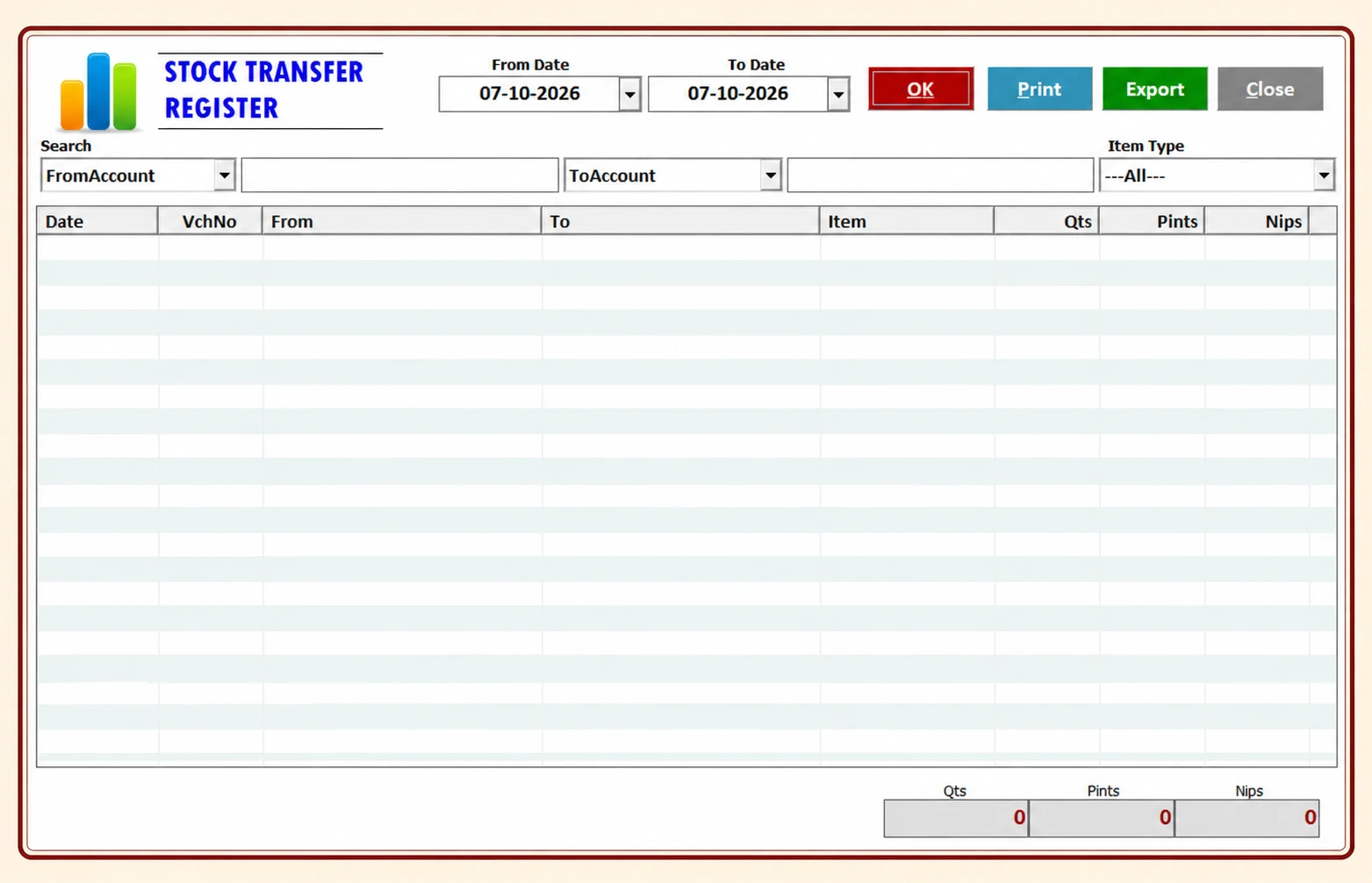
Actual METRO Stock Transfer Register
Liquor Shop Billing Software
Fast & Organized Counter Billing
Create sales entries through a professional billing workflow designed for daily liquor shop operations.
An organized billing system reduces unnecessary manual work and keeps sales data connected with relevant software records.
METRO can help your staff work more efficiently during regular counter operations while keeping important transaction information available for reporting.
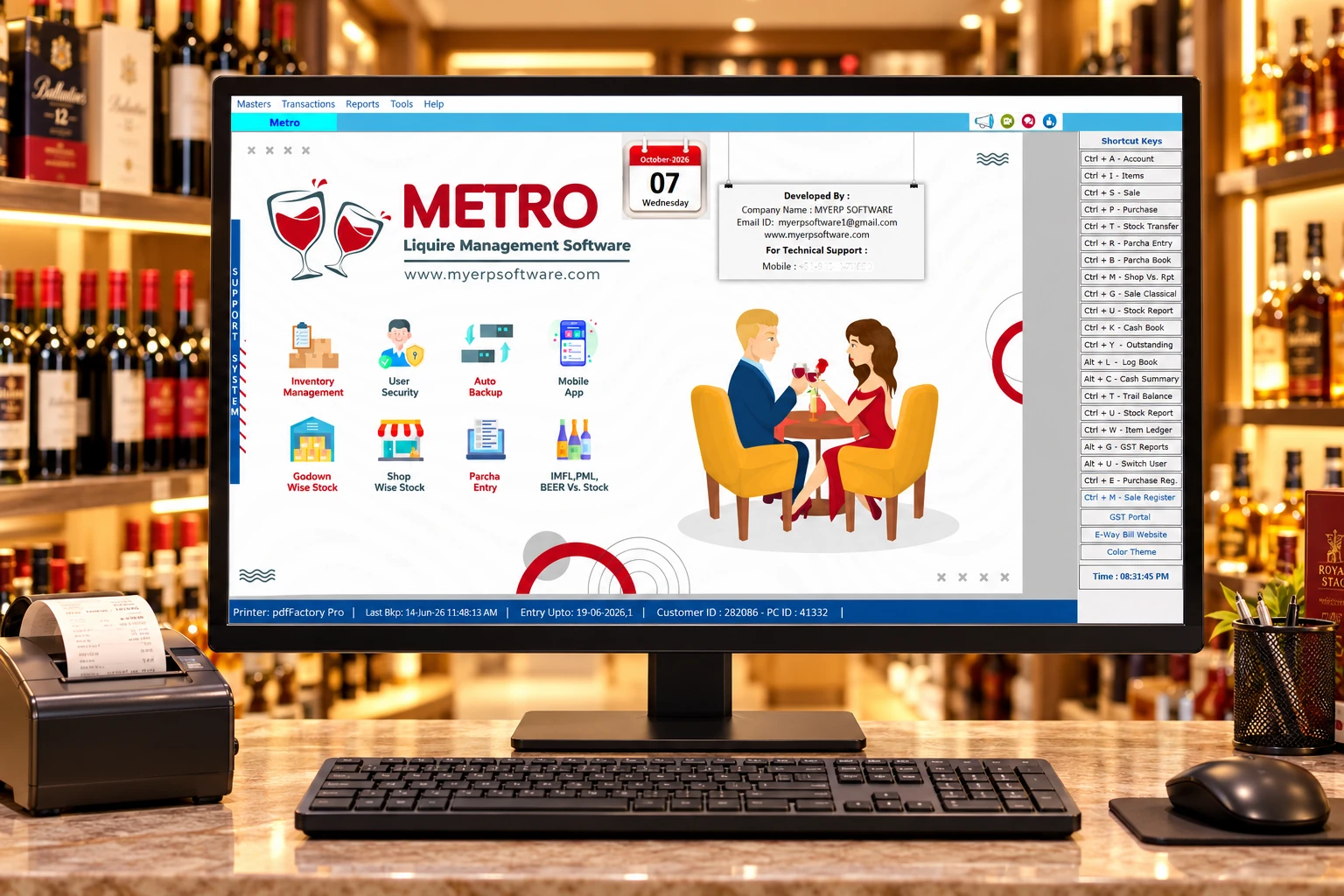
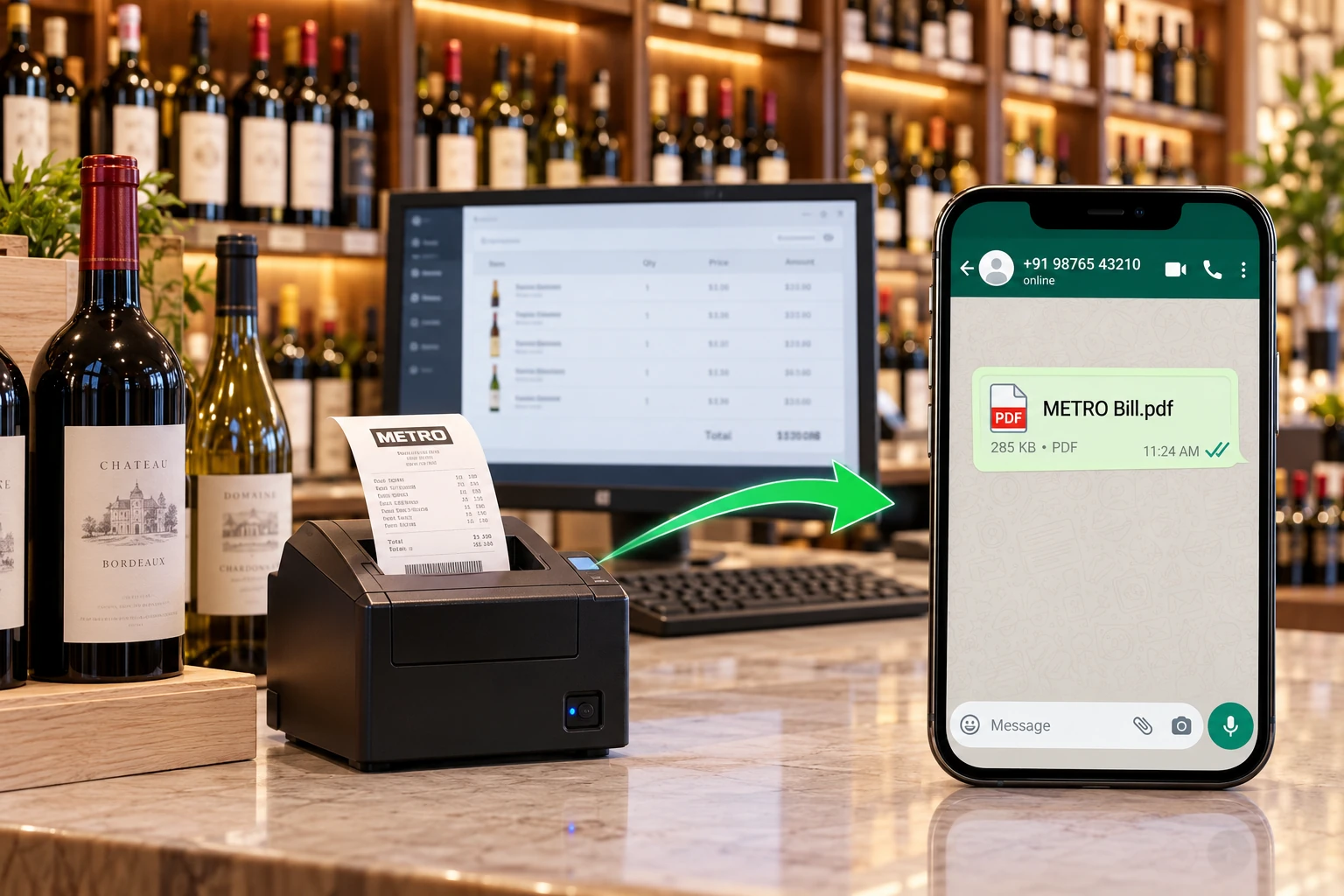
Whatsapp Bill Sharing
Send Customer Bills Directly on WhatsApp
Give your billing process a modern communication option with WhatsApp bill sharing.
Where configured and permitted, bills can be shared with customers digitally, reducing dependence on paper copies and making it easier for customers to retain their transaction information.
Reports & Business Analysis
Turn Daily Entries into Useful Business Information
Daily transactions become more valuable when the owner can review them through meaningful reports.
METRO provides reporting tools for supported sales, purchase and inventory information, helping management review business activity more effectively.
Use available reports to understand:
Daily business activity
Sales information
Purchase information
Stock position
Brand-wise stock
Category-wise stock
Size-wise quantities
Godown movement
Other configured records
Actual METRO detailed sale report
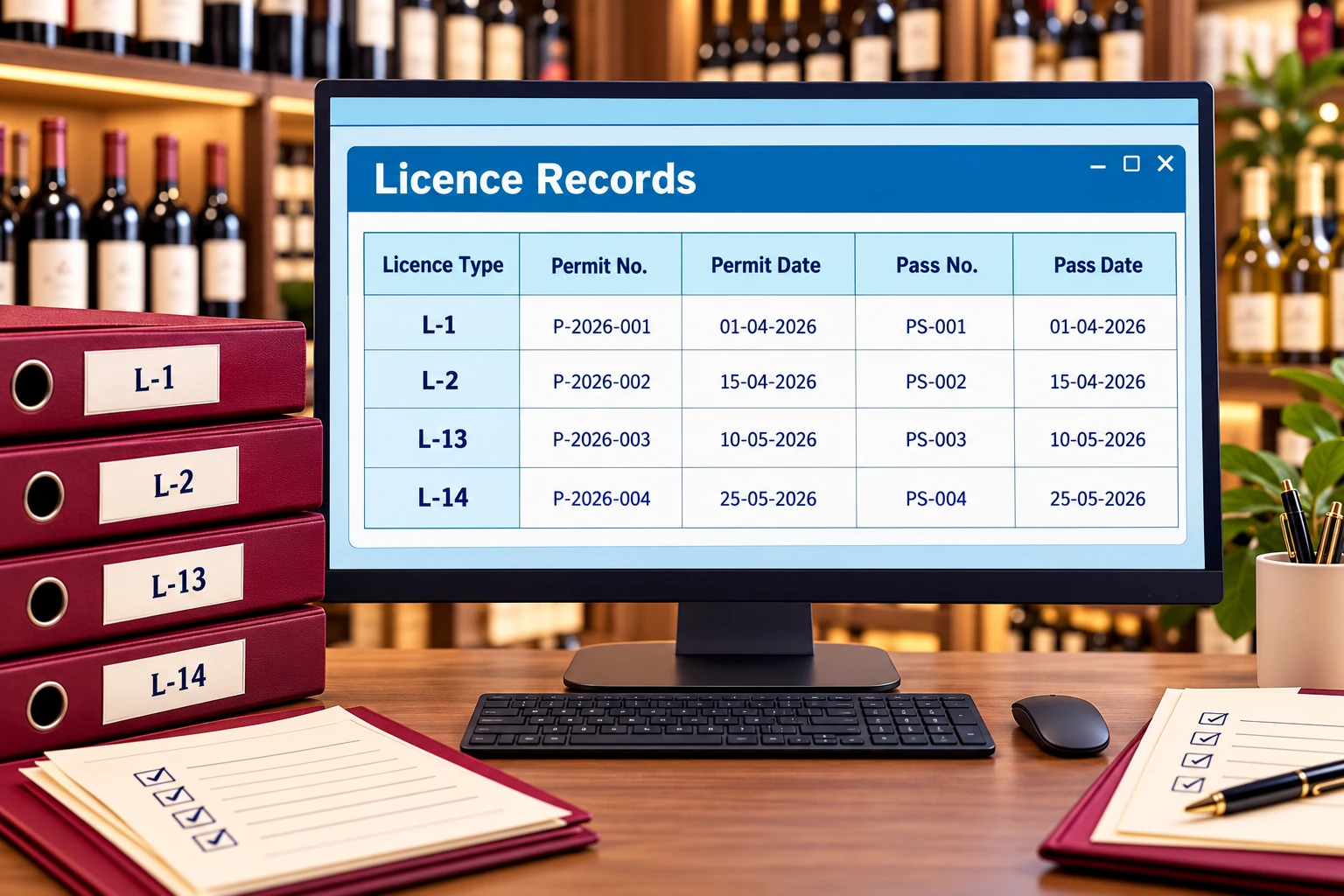
Organized liquor licence, permit and pass records
Licence Record Management
Keep Important Liquor Licence Information Organized
METRO includes facilities for organizing applicable L1-L2 and L13-L14 licence-related records according to the software configuration.
Because excise and liquor regulations can differ by location and licence type, businesses should always verify statutory requirements with the relevant excise authority or professional adviser.
The software should be used as an operational record-management tool alongside the compliance process applicable to your business.
Data Backup
Protect Important Wine Shop Business Records
Sales and inventory records are valuable business information.
Regular backups help reduce the risk of losing important records because of hardware failure, accidental deletion or other technical problems.
METRO can be used with the recommended backup process to keep business data safer and easier to restore when required.

Why Choose METRO?
Built Around the Everyday Work of Liquor & Wine Shops
Organized Liquor Inventory
Maintain a systematic record of brands, categories and bottle sizes.
Better Daily Stock Visibility
Review relevant daily stock information instead of depending completely on manual calculation.
Faster Entries
Perform regular sales, purchase and stock-related entries through structured software screens.
Godown Control
Record transfers and keep stock movement between locations better organized.
Useful Business Reports
Convert your daily software records into reports that help you review operations.
WhatsApp Bill Sharing
Provide customers with a convenient digital bill-sharing option.
Backup Support
Maintain safer copies of important business records through recommended backup procedures.
Simple Day-to-Day Workflow
Give owners and staff a practical interface for commonly performed shop operations.
Smart Management & Accurate Control
Move from scattered registers and repetitive manual work toward an organized digital workflow.
METRO helps bring billing, wine shop stock management, liquor inventory, bottle-size stock, purchase entries, godown movement and reports together in one system.
Spend less time searching for records and more time understanding your business.
Who Can Use METRO?
Liquor & Wine Shop Management Software Designed for Licensed Businesses
METRO can be considered for businesses such as:
Licensed liquor retail shops
Wine shops
Beer and wine retailers
Liquor stores
Shops maintaining brand and size-wise beverage inventory
Businesses operating shop and godown stock
Licensed retail businesses requiring organized daily stock records
Actual functionality and regulatory requirements should always be checked according to your business location and licence conditions.
See METRO Software Working with Your Business Workflow
The best way to understand a business software product is to see the actual screens and workflow.
Request a METRO Liquor Wine Shop Management Software free demo and explore the entries, stock management options and reports relevant to your shop.
Start Using a Smarter Liquor Shop Management System
Download METRO or contact our team for installation and setup information.
Before installation, confirm your system requirements and keep an appropriate backup of existing business data.
Watch METRO Software Demo & Tutorials
See how METRO works through product demonstrations and step-by-step videos.
Explore METRO introductions, billing, brand and category stock, bottle-size inventory, daily stock, parcha entry, godown transfers, reports, backup and WhatsApp bill sharing on our YouTube channel.
What Users Say About METRO Software
Customer Reviews of METRO Liquor Wine Shop Software
Read customer experiences with METRO Liquor Wine Shop Software. Share your own experience using the form below.
Easy Stock Management
METRO makes our daily stock records much easier to organize. Brand-wise and size-wise stock information is particularly useful during daily work.
Useful for Daily Shop Operations
The software provides a structured way to handle regular billing and stock entries. Reports are also convenient when reviewing business activity.
Godown Transfer Is Very Helpful
Managing stock movement between our storage location and shop is much easier when entries are maintained properly in METRO.
Simple and Practical Software
The software is easy for our staff to understand, and the important entries we use every day are available in one place.
Better Stock Visibility
Brand, category and pack-size stock information gives us a clearer view of inventory than our older manual system.
Reports Save Time
Daily stock and other software reports help us check important information without going through several manual registers.
Share Your Experience
Tell us about your experience with METRO Liquor Wine Shop Software by Hardeep ERP Software. Submit your business name, star rating and review below. Your email stays private. Reviews appear after approval.
Easy Stock Management
“METRO makes our daily stock records much easier to organize. Brand-wise and size-wise stock information is particularly useful during daily work.”
— Liquor Retail Business Owner
Useful for Daily Shop Operations
“The software provides a structured way to handle regular billing and stock entries. Reports are also convenient when reviewing business activity.”
— Wine Shop Owner
Godown Transfer Is Very Helpful
“Managing stock movement between our storage location and shop is much easier when entries are maintained properly in METRO.”
— Liquor Store Manager
Simple and Practical Software
“The software is easy for our staff to understand, and the important entries we use every day are available in one place.”
— Retail Shop Operator
Better Stock Visibility
“Brand, category and pack-size stock information gives us a clearer view of inventory than our older manual system.”
— Wine Retailer
Reports Save Time
“Daily stock and other software reports help us check important information without going through several manual registers.”
— Licensed Liquor Retailer
Frequently Asked Questions
METRO Liquor Wine Shop Management Software FAQs
METRO is business management software designed to help liquor and wine retailers manage supported billing, inventory, stock movement, daily stock reports, parcha entries, godown transfers and other shop records.
During your demo, follow one complete working day: an incoming purchase, a counter sale, a stock transfer and a closing report. This gives you a practical view of wine shop management and helps identify the entries your team will use regularly.
Yes. METRO includes a structured sales workflow and can be used for supported liquor or wine shop billing operations.
Ask the team to demonstrate selecting a brand and bottle size, checking quantities and completing a sample bill. Review the printed or digital bill format, item details and transaction records so the billing workflow matches your counter staff’s daily requirements.
Yes. Brand-wise inventory is one of the key stock management features described for METRO.
Keep product names and brand names consistent when preparing your catalogue. Review the same brand across available bottle sizes during the demo. Clear naming supports stock management and makes it easier to compare software quantities with the products on your shelves.
Yes. Products can be organized using applicable categories configured in the software.
Prepare a list of the categories you currently use in your shop, such as wine, beer, whisky and rum. Ask how these categories are configured and reported. An agreed category structure helps staff find products and keeps routine inventory reviews consistent.
METRO supports size-wise inventory tracking according to the product and unit configuration, including commonly used sizes such as nips, pints, quarters, half and full bottles where configured.
Check the units used on your supplier documents before setting up items. A case quantity and an individual bottle quantity should be understood clearly by everyone making entries. Use the demo to confirm how your actual pack sizes appear in stock management reports.
Yes. METRO includes daily stock reporting functionality to help review stock information.
Choose a regular time to review opening quantities, incoming stock, outgoing transactions and closing quantities. Compare a small sample with physical stock first. Investigate differences in the underlying entries so your wine shop management records remain useful for the next working day.
Yes. Parcha Entry is included among METRO's key workflows.
Keep the supplier document nearby when entering a purchase. Review the brand, size and quantity before completing the entry, then check the resulting stock position. Request a demonstration using a sample document similar to the parcha format your business already receives.
METRO includes Godown Transfer functionality for recording applicable stock movement between configured locations.
Record the source location, destination and quantities carefully whenever goods move. Compare the stock position at both locations after a sample transfer. This shows how stock management works across your shop and godown and helps staff understand their responsibility for each entry.
METRO supports WhatsApp bill-sharing functionality where the feature is configured with the required communication setup.
Confirm the customer’s correct WhatsApp number and ask whether they want a digital copy before sharing a bill. During the demo, review the bill attachment and the sharing steps. Keep the bill in your business records alongside the communication sent to the customer.
METRO includes functionality for maintaining applicable licence-related records according to its configuration. Regulatory requirements can vary by state and licence, so always verify the records required by your local excise authority.
Bring a sample of the record formats your business currently maintains to the product demonstration. Ask the team to show the relevant fields, entries and reports in METRO software. Confirm the fit for your existing process before making the setup part of daily operations.
Yes. METRO provides supported business and stock reports based on transactions and records maintained in the software.
Start with the questions you need to answer each day: what was sold, what arrived and what remains available. Ask to see the date ranges and item details in the corresponding reports. Check a report against sample transactions to understand how its figures are produced.
METRO should be used with the recommended data-backup process so important business information can be protected and restored when required.
Agree who creates the backup, where it is stored and how often it is checked. Keep a separate copy away from the working computer. Ask support to demonstrate the recommended backup and restore process for METRO software before you depend on it for daily records.
Yes. Its brand-wise, category-wise and size-wise stock organization is particularly useful for businesses maintaining a large liquor product catalogue.
Prepare a representative sample of brands, categories and bottle sizes for the demo rather than only one item. Review how staff locate products and check quantities. This helps you assess wine shop management for your catalogue and choose a clear naming approach from the beginning.
Yes. You can contact Hardeep ERP Software and request a product demonstration to review the relevant screens and features before choosing the software.
Share your current billing process, stock locations and reporting needs when booking. Bring a sample bill and a few product details so the demonstration can follow your own workflow. Use that session to clarify setup, training and support arrangements before making a purchase decision.
Use the Support Setup link or contact the Hardeep ERP Software support team for installation and technical assistance.
Before a support session, note the screen involved, the steps you followed and the message you received. Keep a recent backup available. These details help the team understand the issue and explain the appropriate next step for your METRO software installation.
Need Help?
Talk to Our METRO Software Team
Need help choosing the right setup or want to see specific liquor shop features?
Tell us about your existing workflow, number of stock locations and the entries or reports you use most often. Our team can demonstrate the relevant METRO screens.

Suggested Message
Recommended WhatsApp Pre-Filled Message
Hello Hardeep ERP Software,
I am interested in METRO Liquor Wine Shop Management Software. I would like to know more about billing, brand/category-wise stock, bottle-size inventory, daily stock reports, parcha entry, godown transfer and reports. Please arrange a demo and share installation details.
Ready to Manage Your Liquor & Wine Shop More Efficiently?
Bring important daily operations into a more organized system with METRO Liquor Wine Shop Management Software.
Manage billing, liquor inventory, brand-wise stock, category-wise stock, bottle sizes, parcha entries, godown transfers and reports with better visibility and control.
Try METRO Software Today
Liquor Wine Shop Management Software